教 Agent 审美:设计 skill 如何去掉 AI 味教 Agent 審美:設計 skill 如何去掉 AI 味Teaching agents taste: how design skills de-slop AI interfacesエージェントにセンスを教える:デザインスキルでAIっぽさを消す에이전트에게 취향 가르치기: 디자인 스킬로 AI 티 없애기Mengajar ejen cita rasa: kemahiran reka bentuk membuang rupa "AI"Dạy agent gu thẩm mỹ: skill thiết kế xoá "mùi AI"Apprendre le goût aux agents : les skills de design contre l'UI génériqueEnseñar criterio a los agentes: skills de diseño contra la UI genéricaAgenten Geschmack beibringen: Design-Skills gegen generische KI-UIs
frontend-design、taste-skill、impeccable 等 skill 把设计观点打包成文件,Agent 按需加载。这里讲怎么组合。frontend-design、taste-skill、impeccable 等 skill 把設計觀點打包成檔案,Agent 按需載入。Skills like frontend-design, taste-skill and impeccable package opinions as files agents load on demand. Here is how to combine them.frontend-design、taste-skill、impeccableなどは設計の意見をファイル化したもの。組み合わせ方を解説。frontend-design, taste-skill, impeccable 같은 스킬은 디자인 관점을 파일로 담는다. 조합법.Kemahiran seperti frontend-design, taste-skill dan impeccable membungkus pendapat reka bentuk. Cara menggabungkannya.Các skill như frontend-design, taste-skill, impeccable đóng gói quan điểm thiết kế. Cách kết hợp.frontend-design, taste-skill, impeccable : des opinions de design en fichiers. Comment les combiner.frontend-design, taste-skill, impeccable: opiniones de diseño en archivos. Cómo combinarlas.frontend-design, taste-skill, impeccable: Design-Meinungen als Dateien. So kombiniert man sie.
正文以簡體中文顯示。
本文は英語で表示しています。
본문은 영어로 표시됩니다.
Kandungan dipaparkan dalam bahasa Inggeris.
Nội dung hiển thị bằng tiếng Anh.
Le corps de l’article est en anglais.
El cuerpo del artículo está en inglés.
Der Beitragstext ist auf Englisch.
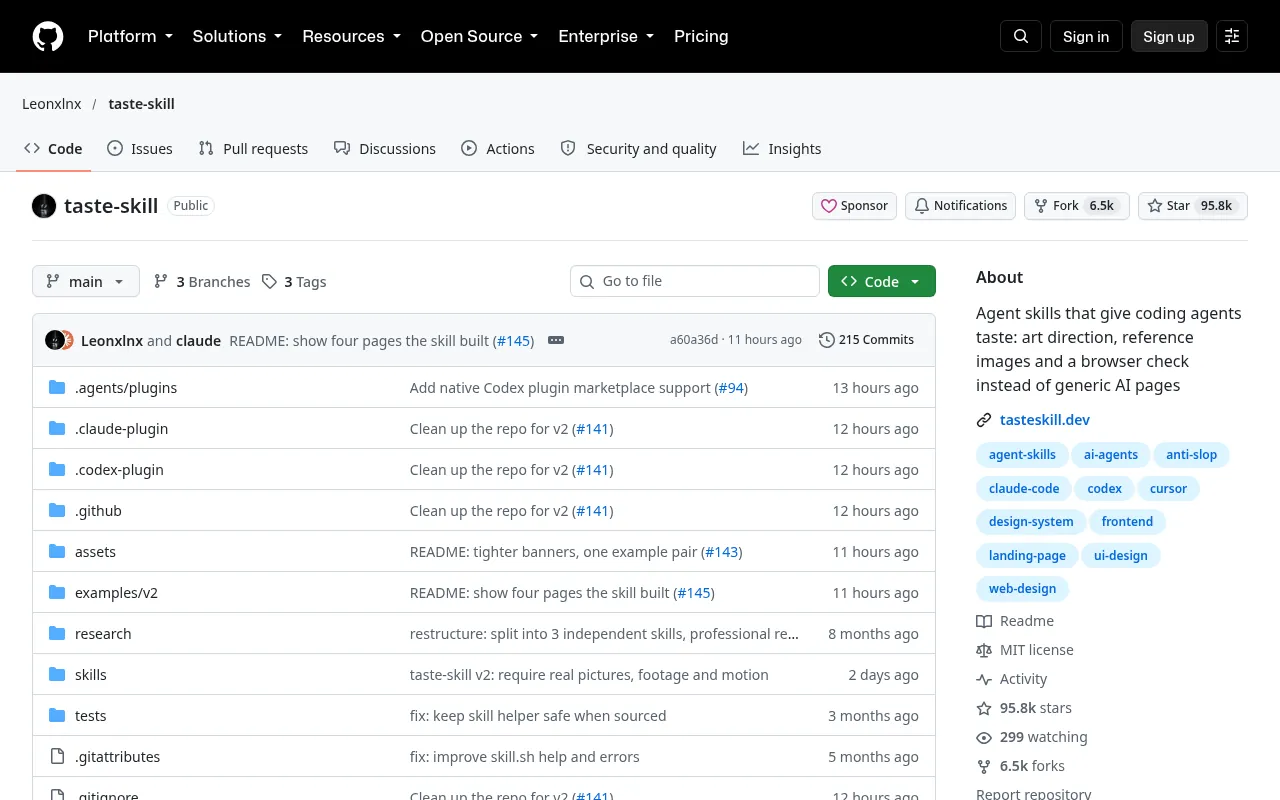
An agent skill is a folder with a SKILL.md file that the agent reads when a task matches the skill's description. For design work this matters more than it sounds: opinions about spacing, motion and what never to ship survive between sessions, instead of living in one long prompt you paste every morning. This post explains how skills load, which kinds of design skill are worth having, how to combine them without conflicts, and how to write a small project skill of your own.
How a skill is loaded
A skill starts with a short YAML header, a name and a description, followed by instructions in Markdown. Agents that support skills, such as Claude Code, read only the name and description of every installed skill up front. The full body is loaded when the current task matches the description. Extra files in the folder (reference docs, scripts, examples) are read only when the body points to them.
That design has two consequences for you:
- The description is the trigger. "Design helper" never fires at the right time. "Use when building or restyling a web page or component; enforces our type scale, spacing and banned patterns" does.
- Bodies can be long, but should be layered. Put the rules the agent always needs in
SKILL.md, and move long references (the full token table, component examples) into separate files it can open on demand.
---
name: house-ui
description: Use when creating or restyling any web page or UI component in this repo. Enforces tokens, spacing, motion limits and banned patterns.
---
# House UI rules
1. Read tokens.css before writing styles. Never use raw hex colours.
2. Spacing comes from the 4px scale: 4, 8, 12, 16, 24, 32, 48, 64.
3. One accent colour per screen. Body text max 68ch.
4. Motion: 150–250ms, ease-out, transform/opacity only; honour prefers-reduced-motion.
5. Never: gradient text, glassmorphism cards, emoji icons, centred body copy.
For component examples, open examples.md.
Four jobs, four kinds of skill
Design skills fall into four jobs. Mixing two skills that do the same job is where conflicts come from.
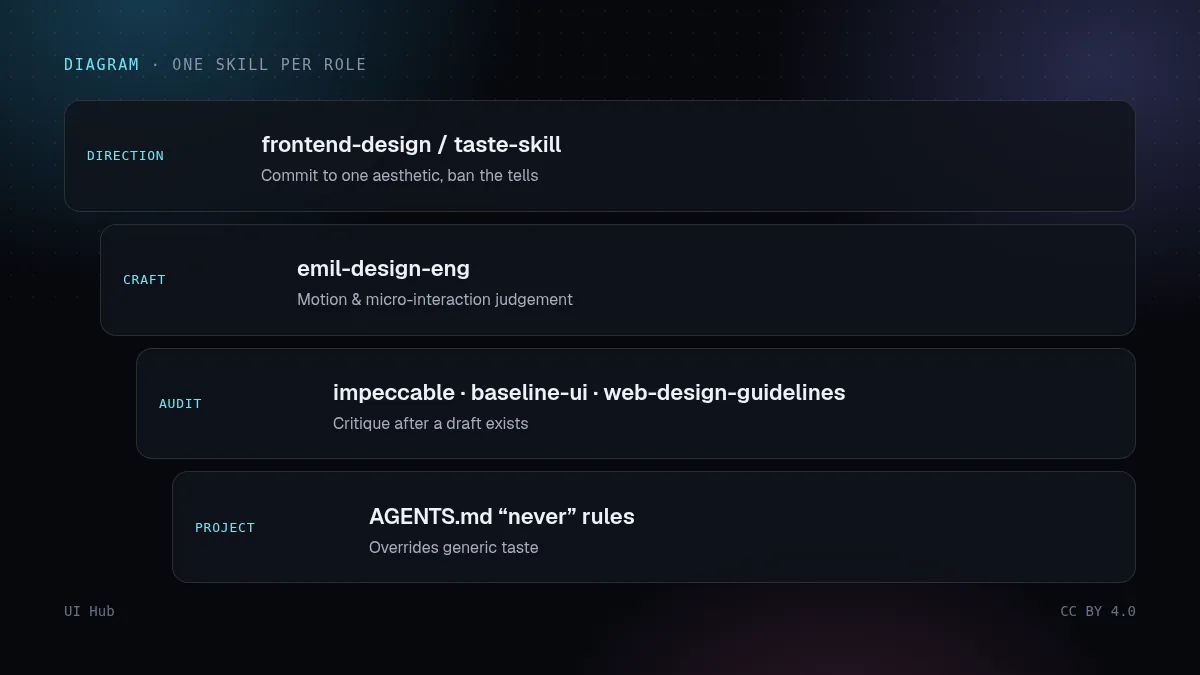
- Direction — runs before code. It commits to an aesthetic and bans the generic tells. Examples: frontend-design from Anthropic's skills repository, taste-skill.
- Craft — runs while building. It carries judgement about motion, micro-interaction and detail. Example: emil-design-eng.
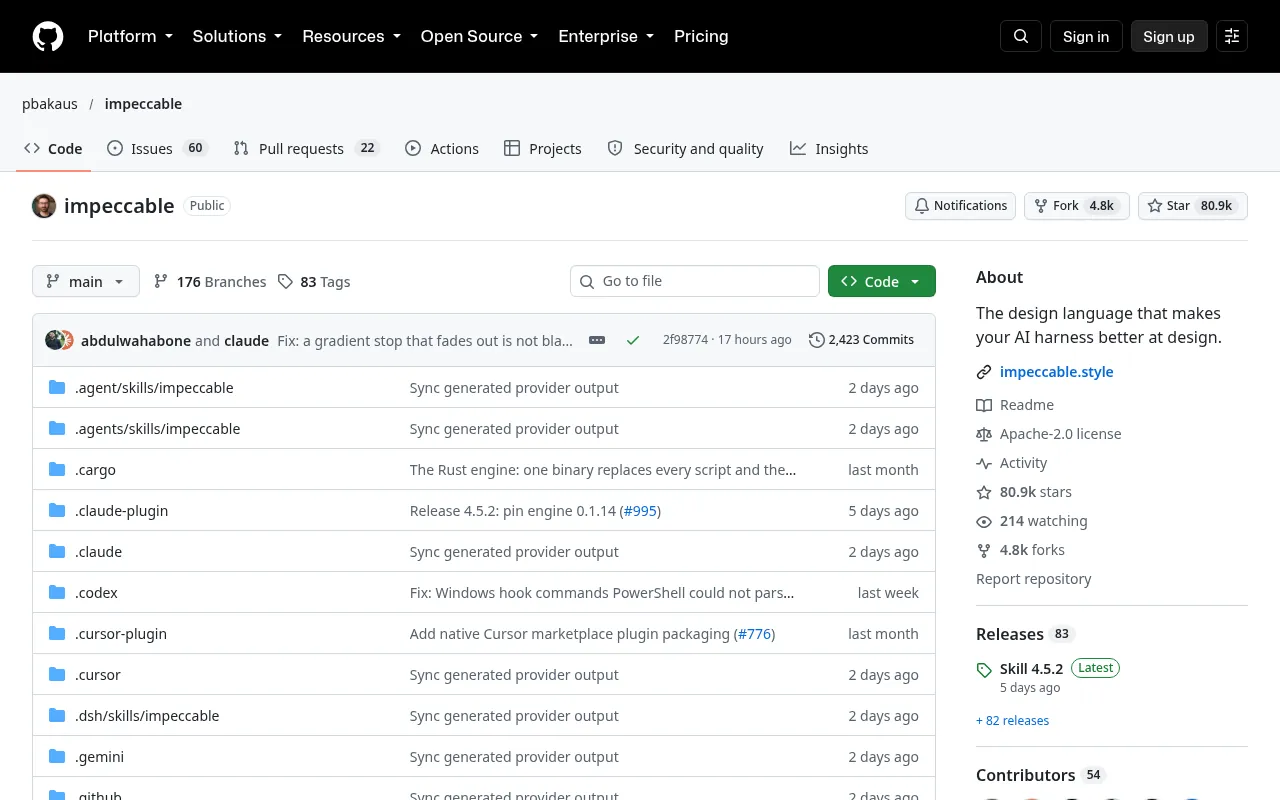
- Audit — runs after a draft exists. It checks against named rules and reports problems. Examples: impeccable, baseline-ui, web-design-guidelines.
- Redesign — runs on an existing site. It inventories what is there before changing it. Example: redesign-skill.
A working stack, step by step
Step 1: install one skill per job. One direction, one craft, one audit skill per project is enough. Two direction skills will argue about whether the page should be editorial or brutalist, and the agent will average them into neither.
Step 2: write project rules in AGENTS.md. Generic taste skills do not know your brand. AGENTS.md is a plain Markdown file at the repo root that coding agents read for project instructions. Put the hard rules there, and say explicitly that they win over any skill:
## Design rules (override any installed skill)
- Brand accent is #2563eb; do not introduce a second accent.
- Headings use Instrument Serif; body uses Geist.
- Light and dark themes are both required for every screen.
- Max one animated "hero moment" per page.
Step 3: run the direction skill first. Ask the agent to propose a direction in words before any code: palette, type pairing, layout idea, the one thing that will make the page memorable. Approve or correct it.
Step 4: build with the craft skill active. Let it handle hover, focus and transition details, and keep your AGENTS.md limits on motion in force.
Step 5: audit, then fix in named items. Run the audit skill on the result and ask for a numbered list of problems with file and line. Fix them in small batches, not all at once.
Pitfalls
- Loading everything. Ten design skills means ten sets of advice competing for the same decisions. More skills is not more taste.
- Vague descriptions. If the description does not match how you phrase tasks, the skill never loads and you will think it does not work.
- Rules only in chat. A rule you typed once disappears next session. If you repeat it twice, it belongs in AGENTS.md or a skill.
- Audit before direction. Auditing a page with no committed direction produces a list of nitpicks on a generic layout.
- Copying a skill without reading it. Skills can run scripts. Read the files before you install one, the same way you would read a dependency.
Questions we get
Do skills replace a design system? No. A skill tells the agent how to use your design system and what to avoid. The tokens and components still have to exist; the skill points at them.
How long should a project skill be? Short enough that you would read it yourself: 20–40 lines of rules in SKILL.md, with longer material in linked files. If the agent ignores a rule, the usual cause is that it was buried in a long list, not that the list was too short.
How do we know a skill is working? Give the agent a task that should trigger it and ask it which skills it used. Then check the output against two or three rules from the skill. If the skill never fires, rewrite the description using the exact words you use for tasks.
Can different agents share the same skills? Several coding agents now read skill folders or AGENTS.md. Keep the rules in plain Markdown with no tool-specific syntax, and the same files can serve more than one agent. Check each agent's documentation for where it looks.
What about public skills that change? Pin the version you reviewed. Treat an update like a dependency upgrade: read the diff before you accept it.
Our take
Skills turn taste from a prompt into infrastructure. The most valuable one in most repos is not a famous public skill but a 30-line project skill that encodes your tokens and your "never" list. Start there, add one public skill per job, and remove any skill that you notice giving advice you keep overriding.
Checklist
- Each skill has a description that matches how you phrase tasks
- One direction, one craft, one audit skill per project
- Project rules in AGENTS.md, marked as overriding skills
- Direction agreed in words before code
- Audit output is a numbered list with file and line
- Every installed skill has been read before use
Agent skill 是一个带 SKILL.md 的文件夹,任务和它的描述匹配时,Agent 会去读它。对设计工作来说,这一点比听起来重要得多:关于间距、动效、哪些东西绝不能上线的判断,可以跨会话保留下来,而不是每天早上粘贴一大段提示词。这篇讲 skill 怎么加载、哪几类设计 skill 值得装、怎么组合才不打架,以及怎么写一个自己项目用的小 skill。
skill 是怎么加载的
skill 开头是一小段 YAML 头,写 name 和 description,后面是 Markdown 格式的指令。支持 skill 的 Agent(比如 Claude Code)一开始只读取每个已安装 skill 的名称和描述;当前任务和描述匹配时,才加载完整正文。文件夹里的其他文件(参考文档、脚本、示例)只有正文指向它们时才会被读取。
这个设计对你有两个影响:
- 描述就是触发条件。"设计助手"永远不会在对的时候触发;"在本仓库新建或改版网页、组件时使用,强制执行我们的字号阶梯、间距和禁用样式"才会。
- 正文可以长,但要分层。 Agent 每次都需要的规则放在
SKILL.md里;长篇参考(完整 token 表、组件示例)放进单独文件,需要时再打开。
---
name: house-ui
description: Use when creating or restyling any web page or UI component in this repo. Enforces tokens, spacing, motion limits and banned patterns.
---
# 本项目 UI 规则
1. 写样式前先读 tokens.css,绝不使用裸色值。
2. 间距来自 4px 刻度:4、8、12、16、24、32、48、64。
3. 每屏只有一个强调色,正文行宽最大 68ch。
4. 动效:150–250ms,ease-out,只动 transform/opacity,遵守 prefers-reduced-motion。
5. 禁止:文字渐变、玻璃拟态卡片、emoji 图标、正文居中。
组件示例见 examples.md。
四种职责,四类 skill
设计类 skill 可以分成四种职责。两个 skill 干同一件事,冲突就是这么来的。
- 定方向:在写代码之前运行。确定一种审美,并禁掉千篇一律的痕迹。例如 Anthropic skills 仓库里的 frontend-design,以及 taste-skill。
- 手艺:在构建过程中起作用,负责动效、微交互和细节判断。例如 emil-design-eng。
- 走查:在初稿出来之后运行,对照具体规则检查并报告问题。例如 impeccable、baseline-ui、web-design-guidelines。
- 改版:用于已有网站,先盘点现状再动手。例如 redesign-skill。
一套能用的组合,按步骤来
第 1 步:每种职责只装一个。 每个项目一个定方向、一个手艺、一个走查 skill 就够了。装两个定方向 skill,它们会争论页面该是杂志风还是粗野主义,Agent 最后会把两者平均成四不像。
第 2 步:项目规则写进 AGENTS.md。 通用审美 skill 不了解你的品牌。AGENTS.md 是放在仓库根目录的普通 Markdown 文件,编码 Agent 会读它获取项目说明。把硬规则写在这里,并明确写出它们优先于任何 skill:
## 设计规则(优先于任何已安装的 skill)
- 品牌强调色是 #2563eb,不要引入第二个强调色。
- 标题用 Instrument Serif,正文用 Geist。
- 每个页面都必须同时有浅色和深色主题。
- 每页最多一个带动画的"高光时刻"。
第 3 步:先跑定方向 skill。 在写任何代码之前,让 Agent 先用文字提出方向:配色、字体搭配、布局想法、让页面被记住的那一个点。你来批准或修正。
第 4 步:带着手艺 skill 去构建。 让它处理 hover、焦点和过渡细节,同时 AGENTS.md 里关于动效的限制继续生效。
第 5 步:走查,再按条目修。 对结果跑走查 skill,要求输出带文件和行号的编号问题清单。小批量地修,不要一次全改。
常见坑
- 全部装上。 十个设计 skill 就是十套建议在抢同一批决定。skill 多不等于审美好。
- 描述写得含糊。 描述和你平时下达任务的说法对不上,skill 就永远不会加载,你还会以为它没用。
- 规则只说在聊天里。 打过一次的规则下次会话就没了。同一句话说过两次,就该写进 AGENTS.md 或 skill。
- 没定方向就走查。 对一个没有明确方向的页面做走查,只会得到一堆针对通用布局的鸡毛蒜皮。
- 不读就复制 skill。 skill 可以运行脚本。安装前先把文件读一遍,就像你会检查一个依赖包一样。
常见问题
skill 能代替设计系统吗? 不能。skill 告诉 Agent 怎么使用你的设计系统、要避开什么;token 和组件还是得真实存在,skill 只是指向它们。
项目 skill 写多长合适? 短到你自己愿意读完:SKILL.md 里 20 到 40 行规则,更长的材料放进链接的文件。Agent 无视某条规则,通常是因为它埋在一长串清单里,而不是清单太短。
怎么知道 skill 生效了? 给 Agent 一个应该触发它的任务,问它用了哪些 skill,再拿 skill 里的两三条规则核对产出。如果 skill 从不触发,就用你下达任务时的原话重写描述。
不同的 Agent 能共用同一套 skill 吗? 现在已有多个编码 Agent 会读取 skill 文件夹或 AGENTS.md。规则用纯 Markdown 写、不带特定工具的语法,同一套文件就能服务多个 Agent。具体读取位置以各自的文档为准。
公开 skill 更新了怎么办? 固定你审过的那个版本。把更新当作依赖升级:先看 diff,再决定是否接受。
我们的看法
skill 把审美从一段提示词变成了基础设施。大多数仓库里最有价值的,不是某个有名的公开 skill,而是一个 30 行、写着你自己 token 和"禁止"清单的项目 skill。从它开始,每种职责再加一个公开 skill;一旦发现某个 skill 给的建议你总在推翻,就把它删掉。
清单
- 每个 skill 的描述都和你平时的任务说法匹配
- 每个项目一个定方向、一个手艺、一个走查 skill
- 项目规则写在 AGENTS.md,并注明优先于 skill
- 写代码前先用文字确认方向
- 走查输出是带文件和行号的编号清单
- 每个安装的 skill 使用前都读过
An agent skill is a folder with a SKILL.md file that the agent reads when a task matches the skill's description. For design work this matters more than it sounds: opinions about spacing, motion and what never to ship survive between sessions, instead of living in one long prompt you paste every morning. This post explains how skills load, which kinds of design skill are worth having, how to combine them without conflicts, and how to write a small project skill of your own.
How a skill is loaded
A skill starts with a short YAML header, a name and a description, followed by instructions in Markdown. Agents that support skills, such as Claude Code, read only the name and description of every installed skill up front. The full body is loaded when the current task matches the description. Extra files in the folder (reference docs, scripts, examples) are read only when the body points to them.
That design has two consequences for you:
- The description is the trigger. "Design helper" never fires at the right time. "Use when building or restyling a web page or component; enforces our type scale, spacing and banned patterns" does.
- Bodies can be long, but should be layered. Put the rules the agent always needs in
SKILL.md, and move long references (the full token table, component examples) into separate files it can open on demand.
---
name: house-ui
description: Use when creating or restyling any web page or UI component in this repo. Enforces tokens, spacing, motion limits and banned patterns.
---
# House UI rules
1. Read tokens.css before writing styles. Never use raw hex colours.
2. Spacing comes from the 4px scale: 4, 8, 12, 16, 24, 32, 48, 64.
3. One accent colour per screen. Body text max 68ch.
4. Motion: 150–250ms, ease-out, transform/opacity only; honour prefers-reduced-motion.
5. Never: gradient text, glassmorphism cards, emoji icons, centred body copy.
For component examples, open examples.md.
Four jobs, four kinds of skill
Design skills fall into four jobs. Mixing two skills that do the same job is where conflicts come from.
- Direction — runs before code. It commits to an aesthetic and bans the generic tells. Examples: frontend-design from Anthropic's skills repository, taste-skill.
- Craft — runs while building. It carries judgement about motion, micro-interaction and detail. Example: emil-design-eng.
- Audit — runs after a draft exists. It checks against named rules and reports problems. Examples: impeccable, baseline-ui, web-design-guidelines.
- Redesign — runs on an existing site. It inventories what is there before changing it. Example: redesign-skill.
A working stack, step by step
Step 1: install one skill per job. One direction, one craft, one audit skill per project is enough. Two direction skills will argue about whether the page should be editorial or brutalist, and the agent will average them into neither.
Step 2: write project rules in AGENTS.md. Generic taste skills do not know your brand. AGENTS.md is a plain Markdown file at the repo root that coding agents read for project instructions. Put the hard rules there, and say explicitly that they win over any skill:
## Design rules (override any installed skill)
- Brand accent is #2563eb; do not introduce a second accent.
- Headings use Instrument Serif; body uses Geist.
- Light and dark themes are both required for every screen.
- Max one animated "hero moment" per page.
Step 3: run the direction skill first. Ask the agent to propose a direction in words before any code: palette, type pairing, layout idea, the one thing that will make the page memorable. Approve or correct it.
Step 4: build with the craft skill active. Let it handle hover, focus and transition details, and keep your AGENTS.md limits on motion in force.
Step 5: audit, then fix in named items. Run the audit skill on the result and ask for a numbered list of problems with file and line. Fix them in small batches, not all at once.
Pitfalls
- Loading everything. Ten design skills means ten sets of advice competing for the same decisions. More skills is not more taste.
- Vague descriptions. If the description does not match how you phrase tasks, the skill never loads and you will think it does not work.
- Rules only in chat. A rule you typed once disappears next session. If you repeat it twice, it belongs in AGENTS.md or a skill.
- Audit before direction. Auditing a page with no committed direction produces a list of nitpicks on a generic layout.
- Copying a skill without reading it. Skills can run scripts. Read the files before you install one, the same way you would read a dependency.
Questions we get
Do skills replace a design system? No. A skill tells the agent how to use your design system and what to avoid. The tokens and components still have to exist; the skill points at them.
How long should a project skill be? Short enough that you would read it yourself: 20–40 lines of rules in SKILL.md, with longer material in linked files. If the agent ignores a rule, the usual cause is that it was buried in a long list, not that the list was too short.
How do we know a skill is working? Give the agent a task that should trigger it and ask it which skills it used. Then check the output against two or three rules from the skill. If the skill never fires, rewrite the description using the exact words you use for tasks.
Can different agents share the same skills? Several coding agents now read skill folders or AGENTS.md. Keep the rules in plain Markdown with no tool-specific syntax, and the same files can serve more than one agent. Check each agent's documentation for where it looks.
What about public skills that change? Pin the version you reviewed. Treat an update like a dependency upgrade: read the diff before you accept it.
Our take
Skills turn taste from a prompt into infrastructure. The most valuable one in most repos is not a famous public skill but a 30-line project skill that encodes your tokens and your "never" list. Start there, add one public skill per job, and remove any skill that you notice giving advice you keep overriding.
Checklist
- Each skill has a description that matches how you phrase tasks
- One direction, one craft, one audit skill per project
- Project rules in AGENTS.md, marked as overriding skills
- Direction agreed in words before code
- Audit output is a numbered list with file and line
- Every installed skill has been read before use
AI 提示词AI 提示詞AI promptAIプロンプトAI 프롬프트Prompt AIPrompt cho AIPrompt IAPrompt de IAKI-Prompt
复制给 Claude、Cursor、v0 等 AI 助手,让它按本文的方法处理你的项目。尖括号里的内容换成你自己的。複製給 Claude、Cursor、v0 等 AI 助手,讓它按本文的方法處理你的專案。尖括號裡的內容換成你自己的。Paste this into Claude, Cursor, v0 or another assistant to apply this post to your own project. Replace the parts in angle brackets.Claude・Cursor・v0 などのAIアシスタントに貼り付けると、この記事の方法をあなたのプロジェクトに適用できます。山括弧の部分は自分の内容に置き換えてください。Claude, Cursor, v0 같은 AI 도우미에 붙여 넣으면 이 글의 방법을 내 프로젝트에 적용할 수 있습니다. 꺾쇠괄호 안은 내 내용으로 바꾸세요.Tampal ke Claude, Cursor, v0 atau pembantu lain untuk menggunakan kaedah artikel ini pada projek anda. Gantikan bahagian dalam kurungan sudut.Dán vào Claude, Cursor, v0 hoặc trợ lý khác để áp dụng bài này cho dự án của bạn. Thay phần trong dấu ngoặc nhọn bằng nội dung của bạn.Collez-le dans Claude, Cursor, v0 ou un autre assistant pour appliquer cet article à votre projet. Remplacez les parties entre chevrons.Pégalo en Claude, Cursor, v0 u otro asistente para aplicar este artículo a tu proyecto. Sustituye lo que está entre corchetes angulares.In Claude, Cursor, v0 oder einen anderen Assistenten einfügen, um diesen Beitrag auf dein Projekt anzuwenden. Teile in spitzen Klammern ersetzen.
帮我给这个仓库配置设计类 skill。
1. 先看仓库(框架、样式方案、已有 token、有没有 AGENTS.md 或 skills 文件夹),总结目前已有的设计规则。
2. 起草项目 skill:.claude/skills/house-ui/SKILL.md,带 YAML 头(name、description)。描述要准确写出何时使用,用我下达任务时会用的说法("做一个页面""改一下组件样式")。
3. 正文:5 到 10 条编号规则,使用我代码里的真实数值(token 名、间距刻度、字体、圆角、动效限制),再加一份"禁止"清单。长篇参考挪到单独的 examples.md。
4. 为 AGENTS.md 起草一节"设计规则(优先于任何已安装的 skill)"。
5. 为这个项目最多推荐一个定方向、一个手艺、一个走查 skill,并说明理由;不要安装任何东西。
不要编造 token 数值。缺什么就作为问题列出来。
帮我给这个仓库配置设计类 skill。
1. 先看仓库(框架、样式方案、已有 token、有没有 AGENTS.md 或 skills 文件夹),总结目前已有的设计规则。
2. 起草项目 skill:.claude/skills/house-ui/SKILL.md,带 YAML 头(name、description)。描述要准确写出何时使用,用我下达任务时会用的说法("做一个页面""改一下组件样式")。
3. 正文:5 到 10 条编号规则,使用我代码里的真实数值(token 名、间距刻度、字体、圆角、动效限制),再加一份"禁止"清单。长篇参考挪到单独的 examples.md。
4. 为 AGENTS.md 起草一节"设计规则(优先于任何已安装的 skill)"。
5. 为这个项目最多推荐一个定方向、一个手艺、一个走查 skill,并说明理由;不要安装任何东西。
不要编造 token 数值。缺什么就作为问题列出来。Help me set up design skills for this repository.
1. Look at the repo (framework, styling approach, existing tokens, any AGENTS.md or skills folders) and summarise what design rules already exist.
2. Draft a project skill at .claude/skills/house-ui/SKILL.md with YAML frontmatter (name, description). The description must say exactly when to use it, in the words I would use for tasks ("build a page", "restyle a component").
3. The body: 5–10 numbered rules using real values from my code (token names, spacing scale, fonts, radius, motion limits) plus a "Never" list. Move long references to a separate examples.md.
4. Draft a "Design rules (override any installed skill)" section for AGENTS.md.
5. Recommend at most one direction, one craft and one audit skill for this project and say why; do not install anything.
Do not invent token values. If something is missing, list it as a question.Help me set up design skills for this repository.
1. Look at the repo (framework, styling approach, existing tokens, any AGENTS.md or skills folders) and summarise what design rules already exist.
2. Draft a project skill at .claude/skills/house-ui/SKILL.md with YAML frontmatter (name, description). The description must say exactly when to use it, in the words I would use for tasks ("build a page", "restyle a component").
3. The body: 5–10 numbered rules using real values from my code (token names, spacing scale, fonts, radius, motion limits) plus a "Never" list. Move long references to a separate examples.md.
4. Draft a "Design rules (override any installed skill)" section for AGENTS.md.
5. Recommend at most one direction, one craft and one audit skill for this project and say why; do not install anything.
Do not invent token values. If something is missing, list it as a question.Help me set up design skills for this repository.
1. Look at the repo (framework, styling approach, existing tokens, any AGENTS.md or skills folders) and summarise what design rules already exist.
2. Draft a project skill at .claude/skills/house-ui/SKILL.md with YAML frontmatter (name, description). The description must say exactly when to use it, in the words I would use for tasks ("build a page", "restyle a component").
3. The body: 5–10 numbered rules using real values from my code (token names, spacing scale, fonts, radius, motion limits) plus a "Never" list. Move long references to a separate examples.md.
4. Draft a "Design rules (override any installed skill)" section for AGENTS.md.
5. Recommend at most one direction, one craft and one audit skill for this project and say why; do not install anything.
Do not invent token values. If something is missing, list it as a question.Help me set up design skills for this repository.
1. Look at the repo (framework, styling approach, existing tokens, any AGENTS.md or skills folders) and summarise what design rules already exist.
2. Draft a project skill at .claude/skills/house-ui/SKILL.md with YAML frontmatter (name, description). The description must say exactly when to use it, in the words I would use for tasks ("build a page", "restyle a component").
3. The body: 5–10 numbered rules using real values from my code (token names, spacing scale, fonts, radius, motion limits) plus a "Never" list. Move long references to a separate examples.md.
4. Draft a "Design rules (override any installed skill)" section for AGENTS.md.
5. Recommend at most one direction, one craft and one audit skill for this project and say why; do not install anything.
Do not invent token values. If something is missing, list it as a question.Help me set up design skills for this repository.
1. Look at the repo (framework, styling approach, existing tokens, any AGENTS.md or skills folders) and summarise what design rules already exist.
2. Draft a project skill at .claude/skills/house-ui/SKILL.md with YAML frontmatter (name, description). The description must say exactly when to use it, in the words I would use for tasks ("build a page", "restyle a component").
3. The body: 5–10 numbered rules using real values from my code (token names, spacing scale, fonts, radius, motion limits) plus a "Never" list. Move long references to a separate examples.md.
4. Draft a "Design rules (override any installed skill)" section for AGENTS.md.
5. Recommend at most one direction, one craft and one audit skill for this project and say why; do not install anything.
Do not invent token values. If something is missing, list it as a question.Help me set up design skills for this repository.
1. Look at the repo (framework, styling approach, existing tokens, any AGENTS.md or skills folders) and summarise what design rules already exist.
2. Draft a project skill at .claude/skills/house-ui/SKILL.md with YAML frontmatter (name, description). The description must say exactly when to use it, in the words I would use for tasks ("build a page", "restyle a component").
3. The body: 5–10 numbered rules using real values from my code (token names, spacing scale, fonts, radius, motion limits) plus a "Never" list. Move long references to a separate examples.md.
4. Draft a "Design rules (override any installed skill)" section for AGENTS.md.
5. Recommend at most one direction, one craft and one audit skill for this project and say why; do not install anything.
Do not invent token values. If something is missing, list it as a question.Help me set up design skills for this repository.
1. Look at the repo (framework, styling approach, existing tokens, any AGENTS.md or skills folders) and summarise what design rules already exist.
2. Draft a project skill at .claude/skills/house-ui/SKILL.md with YAML frontmatter (name, description). The description must say exactly when to use it, in the words I would use for tasks ("build a page", "restyle a component").
3. The body: 5–10 numbered rules using real values from my code (token names, spacing scale, fonts, radius, motion limits) plus a "Never" list. Move long references to a separate examples.md.
4. Draft a "Design rules (override any installed skill)" section for AGENTS.md.
5. Recommend at most one direction, one craft and one audit skill for this project and say why; do not install anything.
Do not invent token values. If something is missing, list it as a question.Help me set up design skills for this repository.
1. Look at the repo (framework, styling approach, existing tokens, any AGENTS.md or skills folders) and summarise what design rules already exist.
2. Draft a project skill at .claude/skills/house-ui/SKILL.md with YAML frontmatter (name, description). The description must say exactly when to use it, in the words I would use for tasks ("build a page", "restyle a component").
3. The body: 5–10 numbered rules using real values from my code (token names, spacing scale, fonts, radius, motion limits) plus a "Never" list. Move long references to a separate examples.md.
4. Draft a "Design rules (override any installed skill)" section for AGENTS.md.
5. Recommend at most one direction, one craft and one audit skill for this project and say why; do not install anything.
Do not invent token values. If something is missing, list it as a question.引用来源引用來源References参考文献참고 자료RujukanNguồn tham khảoRéférencesReferenciasQuellen
- Agent Skills repository — Anthropic
- taste-skill — Leonxlnx
- impeccable — Paul Bakaus
- AGENTS.md — agents.md
- Web Interface Guidelines — Vercel
- Agent Skills overview — Anthropic
- Skills in Claude Code — Anthropic
相关文章相關文章Related posts関連記事관련 글Artikel berkaitanBài liên quanArticles liésArtículos relacionadosÄhnliche Beiträge
Claude 与 Cursor 的设计技能:SKILL.md、rules 和 AGENTS.mdClaude 與 Cursor 的設計技能:SKILL.md、rules 和 AGENTS.mdDesign skills for Claude and Cursor: SKILL.md, rules and AGENTS.mdClaudeとCursorのデザインスキル:SKILL.md・rules・AGENTS.mdClaude와 Cursor의 디자인 스킬: SKILL.md, rules, AGENTS.mdKemahiran reka bentuk untuk Claude dan CursorSkill thiết kế cho Claude và Cursor: SKILL.md, rules, AGENTS.mdCompétences design pour Claude et CursorSkills de diseño para Claude y CursorDesign-Skills für Claude und Cursor
三种文件格式,一个思路:智能体在相关时加载的持久指令。怎样写一个真正改变产出的设计技能,附模板。三種檔案格式,一個思路:智慧體在相關時載入的持久指令。怎樣寫一個真正改變產出的設計技能,附範本。Three file formats, one idea: durable instructions an agent loads when relevant. How to write a design skill that changes output, with a template.3つの形式、1つの考え方。出力を変えるデザインスキルの書き方とテンプレート。세 가지 형식, 하나의 아이디어. 출력을 바꾸는 디자인 스킬 작성법과 템플릿.Tiga format fail, satu idea. Cara menulis kemahiran reka bentuk, dengan templat.Ba định dạng, một ý tưởng. Cách viết skill thiết kế thật sự thay đổi kết quả, kèm mẫu.Trois formats, une idée. Comment écrire une compétence design efficace, avec modèle.Tres formatos, una idea. Cómo escribir un skill de diseño eficaz, con plantilla.Drei Formate, eine Idee. So schreibt man einen wirksamen Design-Skill, mit Vorlage.
给智能体的设计 Token:让 AI 产出符合品牌的那份文件給智慧體的設計 Token:讓 AI 產出符合品牌的那份檔案Design tokens for agents: the file that makes AI output on-brandエージェントのためのデザイントークン에이전트를 위한 디자인 토큰Token reka bentuk untuk ejenDesign token cho agent: file giúp AI ra đúng thương hiệuDes design tokens pour les agentsDesign tokens para agentesDesign Tokens für Agents
一份机器可读的 Token 文件(W3C DTCG 格式)加一段简短用法说明,胜过提示里任何形容词。结构、命名和交给智能体的方法。一份機器可讀的 Token 檔(W3C DTCG 格式)加一段簡短用法說明,勝過提示裡任何形容詞。結構、命名與交給智慧體的方法。A machine-readable token file (the W3C DTCG format) plus a short usage note beats any adjective in a prompt. Structure, naming, and how to hand it to an agent.機械可読なトークン(W3C DTCG)と短い使い方メモはどんな形容詞にも勝る。기계가 읽는 토큰 파일(W3C DTCG)과 짧은 사용법이 어떤 형용사보다 낫다.Fail token boleh dibaca mesin (DTCG) mengatasi kata sifat dalam prompt.File token máy đọc được (DTCG) cùng ghi chú ngắn hơn mọi tính từ trong prompt.Un fichier de tokens lisible par machine (DTCG) vaut mieux que tout adjectif.Un archivo de tokens legible por máquina (DTCG) supera a cualquier adjetivo.Eine maschinenlesbare Token-Datei (DTCG) schlägt jedes Adjektiv.
教程:让智能体以 UI Hub 为上下文搭一个落地页教學:讓智慧體以 UI Hub 為上下文搭一個落地頁Tutorial: have an agent build a landing page using UI Hub as contextチュートリアル:UI Hubを文脈にエージェントでLPを作る튜토리얼: UI Hub를 컨텍스트로 에이전트가 랜딩 페이지 만들기Tutorial: ejen bina halaman pendaratan dengan UI HubHướng dẫn: để agent dựng landing page với UI Hub làm ngữ cảnhTutoriel : un agent construit une landing avec UI Hub comme contexteTutorial: un agente crea una landing con UI Hub como contextoTutorial: ein Agent baut eine Landingpage mit UI Hub als Kontext
从空文件夹到验证通过的页面六步走:加载 AGENTS.md、搜索百科、挑组件、加载技能、构建、浏览器验证。從空資料夾到驗證通過的頁面六步:載入 AGENTS.md、搜尋百科、挑元件、載入技能、建置、瀏覽器驗證。Six steps from an empty folder to a verified page: load AGENTS.md, search the encyclopedia, pick components, load skills, build, verify in a browser.空フォルダから検証済みページまで6ステップ。빈 폴더에서 검증된 페이지까지 6단계.Enam langkah dari folder kosong ke halaman disahkan.Sáu bước từ thư mục trống đến trang đã kiểm chứng.Six étapes du dossier vide à la page vérifiée.Seis pasos de una carpeta vacía a una página verificada.Sechs Schritte vom leeren Ordner zur geprüften Seite.