shadcn Blocks 与 Registry:把页面区块当源码shadcn Blocks 與 Registry:把頁面區塊當原始碼shadcn blocks and registries: page sections as source codeshadcnブロックとレジストリ:ページ部品をソースとしてshadcn 블록과 레지스트리: 페이지 섹션을 소스 코드로Blok dan registry shadcn: bahagian halaman sebagai kod sumbershadcn blocks và registry: khối trang dưới dạng mã nguồnBlocs et registres shadcn : des sections de page en code sourceBloques y registros de shadcn: secciones como código fuenteshadcn-Blocks und Registries: Seitenabschnitte als Quellcode
Blocks(仪表盘、侧栏、登录页)一条 CLI 命令就能装,任何团队都能发布自己的 registry。为什么这是 AI 智能体最好的底座。Blocks(儀表板、側欄、登入頁)一條 CLI 指令就能裝,任何團隊都能發布自己的 registry。為何這是 AI 智慧體最好的底座。Blocks (dashboards, sidebars, login pages) install with one CLI command, and any team can publish its own registry. Why this is the best substrate for AI agents.ブロックはCLI一発で導入、どのチームも独自レジストリを公開可能。AIエージェントに最適な土台の理由。블록은 CLI 한 줄로 설치, 누구나 레지스트리 공개 가능. AI 에이전트에 최적인 이유.Blok dipasang dengan satu arahan CLI; mana-mana pasukan boleh terbitkan registry.Block cài bằng một lệnh CLI; nhóm nào cũng có thể phát hành registry riêng.Les blocs s'installent en une commande ; chaque équipe peut publier son registre.Los bloques se instalan con un comando; cualquier equipo puede publicar su registro.Blocks per CLI-Befehl; jedes Team kann eine eigene Registry veröffentlichen.
正文以簡體中文顯示。
本文は英語で表示しています。
본문은 영어로 표시됩니다.
Kandungan dipaparkan dalam bahasa Inggeris.
Nội dung hiển thị bằng tiếng Anh.
Le corps de l’article est en anglais.
El cuerpo del artículo está en inglés.
Der Beitragstext ist auf Englisch.
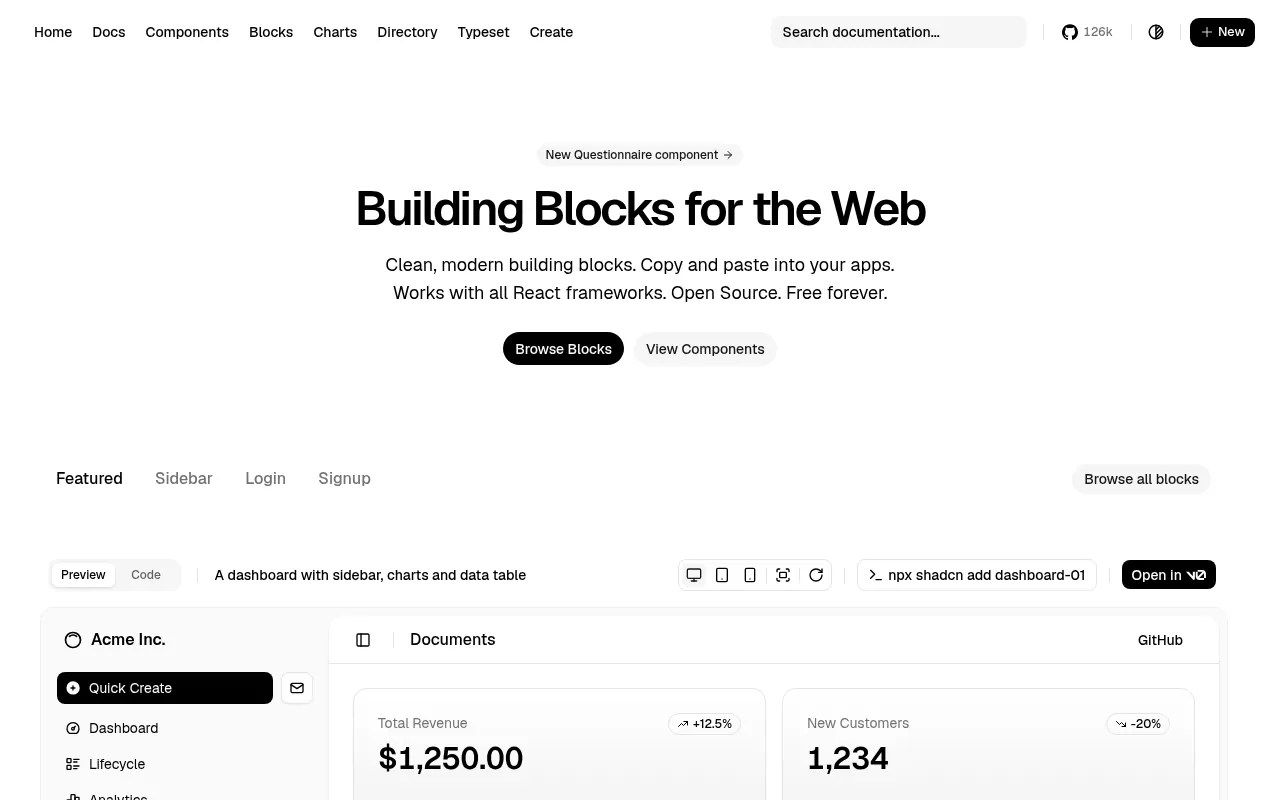
shadcn/ui is not a package you install; it is a set of components whose source you copy into your project. Blocks extend the idea to whole sections: dashboards, sidebars, login and signup pages, charts. Each is added with the CLI, for example npx shadcn@latest add dashboard-01, and lands as editable files.
Registries: everyone can publish
The shadcn registry format lets any team publish components, blocks, hooks and theme files as JSON that the CLI understands. Magic UI, Cult UI and many others distribute this way, and you can run a private registry for your own design system.
npx shadcn@latest add https://your-registry.example/r/pricing-01.json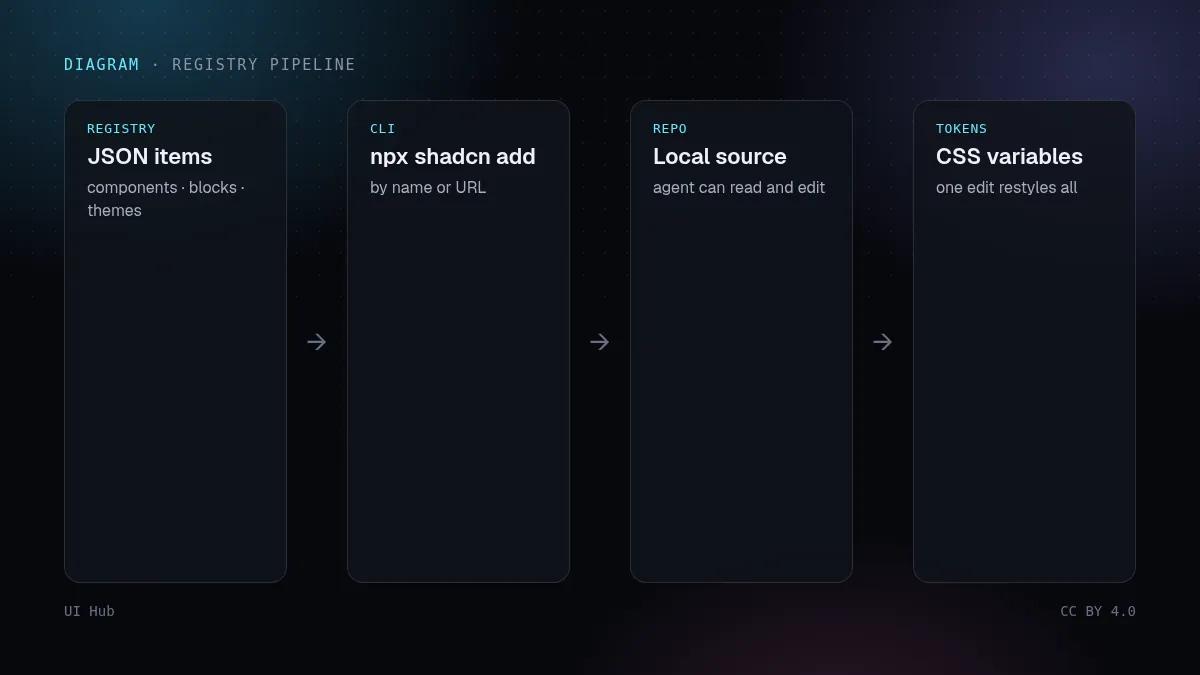
Why agents love this model
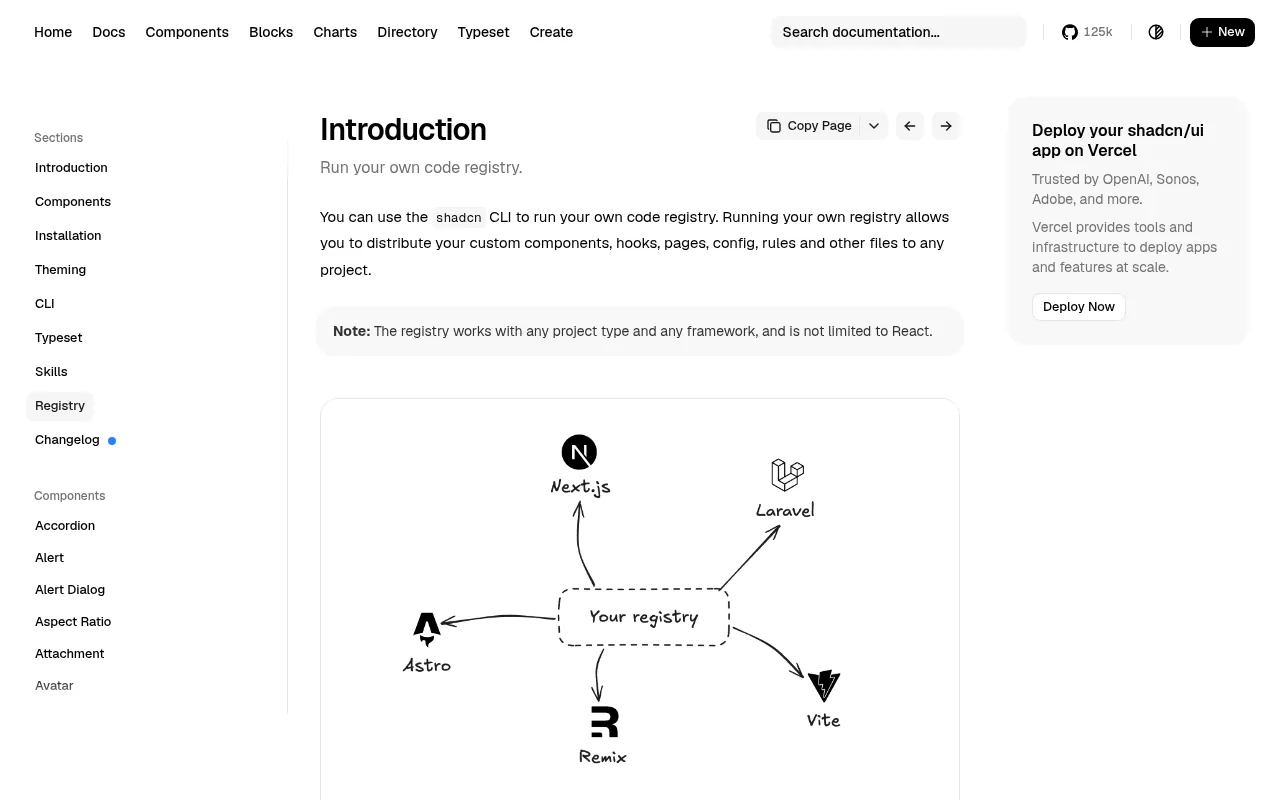
- The code is local, so an agent can read and edit it like any file.
- Names are stable and documented, so prompts can reference them ("add sidebar-07").
- Theme lives in CSS variables, so one token change restyles everything the agent generated.
Our take
If you want AI-generated UI to stay consistent, give the agent a registry, not a style adjective. Start from official blocks, restyle via tokens, and publish your modified versions to a private registry so every future session builds from your system.
shadcn/ui 不是一个要安装的依赖包,而是一套你把源码复制进项目的组件。Blocks 把这个思路扩展到整个区块:仪表盘、侧栏、登录注册页、图表。每个都用 CLI 添加,例如 npx shadcn@latest add dashboard-01,落地为可编辑的文件。
Registry:人人都能发布
shadcn 的 registry 格式让任何团队都能把组件、区块、hooks 和主题文件发布成 CLI 能读的 JSON。Magic UI、Cult UI 等很多库都这样分发,你也可以给自己的设计系统搭一个私有 registry。
npx shadcn@latest add https://your-registry.example/r/pricing-01.json为什么智能体喜欢这种模式
- 代码在本地,智能体可以像读写普通文件一样读写它。
- 名字稳定且有文档,提示里可以直接引用(「加上 sidebar-07」)。
- 主题放在 CSS 变量里,改一个 Token 就能给智能体生成的所有界面换装。
我们的看法
想让 AI 生成的界面保持一致,就给智能体一个 registry,而不是一个风格形容词。从官方 blocks 起步,用 Token 换风格,再把改过的版本发布到私有 registry,之后每次会话都从你的系统出发。
shadcn/ui is not a package you install; it is a set of components whose source you copy into your project. Blocks extend the idea to whole sections: dashboards, sidebars, login and signup pages, charts. Each is added with the CLI, for example npx shadcn@latest add dashboard-01, and lands as editable files.
Registries: everyone can publish
The shadcn registry format lets any team publish components, blocks, hooks and theme files as JSON that the CLI understands. Magic UI, Cult UI and many others distribute this way, and you can run a private registry for your own design system.
npx shadcn@latest add https://your-registry.example/r/pricing-01.jsonWhy agents love this model
- The code is local, so an agent can read and edit it like any file.
- Names are stable and documented, so prompts can reference them ("add sidebar-07").
- Theme lives in CSS variables, so one token change restyles everything the agent generated.
Our take
If you want AI-generated UI to stay consistent, give the agent a registry, not a style adjective. Start from official blocks, restyle via tokens, and publish your modified versions to a private registry so every future session builds from your system.
AI 提示词AI 提示詞AI promptAIプロンプトAI 프롬프트Prompt AIPrompt cho AIPrompt IAPrompt de IAKI-Prompt
复制给 Claude、Cursor、v0 等 AI 助手,让它按本文的方法处理你的项目。尖括号里的内容换成你自己的。複製給 Claude、Cursor、v0 等 AI 助手,讓它按本文的方法處理你的專案。尖括號裡的內容換成你自己的。Paste this into Claude, Cursor, v0 or another assistant to apply this post to your own project. Replace the parts in angle brackets.Claude・Cursor・v0 などのAIアシスタントに貼り付けると、この記事の方法をあなたのプロジェクトに適用できます。山括弧の部分は自分の内容に置き換えてください。Claude, Cursor, v0 같은 AI 도우미에 붙여 넣으면 이 글의 방법을 내 프로젝트에 적용할 수 있습니다. 꺾쇠괄호 안은 내 내용으로 바꾸세요.Tampal ke Claude, Cursor, v0 atau pembantu lain untuk menggunakan kaedah artikel ini pada projek anda. Gantikan bahagian dalam kurungan sudut.Dán vào Claude, Cursor, v0 hoặc trợ lý khác để áp dụng bài này cho dự án của bạn. Thay phần trong dấu ngoặc nhọn bằng nội dung của bạn.Collez-le dans Claude, Cursor, v0 ou un autre assistant pour appliquer cet article à votre projet. Remplacez les parties entre chevrons.Pégalo en Claude, Cursor, v0 u otro asistente para aplicar este artículo a tu proyecto. Sustituye lo que está entre corchetes angulares.In Claude, Cursor, v0 oder einen anderen Assistenten einfügen, um diesen Beitrag auf dein Projekt anzuwenden. Teile in spitzen Klammern ersetzen.
你是一名资深 UI 工程师。请把文章《shadcn Blocks 与 Registry:把页面区块当源码》(https://ui.incidental.site/blog/shadcn-blocks-deep-dive/)的方法用到我的项目上。
核心观点:Blocks(仪表盘、侧栏、登录页)一条 CLI 命令就能装,任何团队都能发布自己的 registry。为什么这是 AI 智能体最好的底座。
步骤:
1. 读文章,把建议整理成一份具体、可检查的编号清单。
2. 用这份清单检查 <我的页面 / 组件 / 仓库>,每条标注通过或不通过,并写明文件和行号。
3. 用我现有的 token 和组件,小批量修复不通过的项。不要编造 API,以文章链接的官方文档为准。
4. 最后列出待确认的问题和你无法核实的内容。
你是一名資深 UI 工程師。請把文章《shadcn Blocks 與 Registry:把頁面區塊當原始碼》(https://ui.incidental.site/blog/shadcn-blocks-deep-dive/)的方法用到我的專案上。
核心觀點:Blocks(儀表板、側欄、登入頁)一條 CLI 指令就能裝,任何團隊都能發布自己的 registry。為何這是 AI 智慧體最好的底座。
步驟:
1. 讀文章,把建議整理成一份具體、可檢查的編號清單。
2. 用這份清單檢查 <我的頁面 / 元件 / 儲存庫>,每條標註通過或不通過,並寫明檔案和行號。
3. 用我現有的 token 和元件,小批量修復不通過的項目。不要編造 API,以文章連結的官方文件為準。
4. 最後列出待確認的問題和你無法核實的內容。You are a senior UI engineer. Apply the article “shadcn blocks and registries: page sections as source code” (https://ui.incidental.site/blog/shadcn-blocks-deep-dive/) to my project.
Key idea: Blocks (dashboards, sidebars, login pages) install with one CLI command, and any team can publish its own registry. Why this is the best substrate for AI agents.
Steps:
1. Read the article and turn its advice into a numbered checklist of concrete, checkable rules.
2. Audit <my page / component / repo> against that checklist; mark each rule PASS or FAIL with file and line.
3. Fix the FAIL items in small batches, using my existing tokens and components. Do not invent APIs; follow the official docs the article links to.
4. Finish with a short list of open questions and anything you could not verify.あなたはシニアUIエンジニアです。記事「shadcnブロックとレジストリ:ページ部品をソースとして」(https://ui.incidental.site/blog/shadcn-blocks-deep-dive/)の方法を私のプロジェクトに適用してください。
要点:ブロックはCLI一発で導入、どのチームも独自レジストリを公開可能。AIエージェントに最適な土台の理由。
手順:
1. 記事を読み、助言を具体的で確認可能な番号付きチェックリストにする。
2. そのチェックリストで <私のページ / コンポーネント / リポジトリ> を監査し、各項目を合格/不合格で示し、ファイルと行番号を書く。
3. 不合格の項目を、既存のトークンとコンポーネントを使って少しずつ修正する。APIを捏造せず、記事がリンクする公式ドキュメントに従う。
4. 最後に未解決の質問と検証できなかった点を挙げる。당신은 시니어 UI 엔지니어입니다. 글 “shadcn 블록과 레지스트리: 페이지 섹션을 소스 코드로”(https://ui.incidental.site/blog/shadcn-blocks-deep-dive/)의 방법을 내 프로젝트에 적용해 주세요.
핵심: 블록은 CLI 한 줄로 설치, 누구나 레지스트리 공개 가능. AI 에이전트에 최적인 이유.
단계:
1. 글을 읽고 조언을 구체적이고 확인 가능한 번호 목록으로 정리한다.
2. 그 목록으로 <내 페이지 / 컴포넌트 / 저장소>를 점검하고, 항목마다 통과/실패와 파일·줄 번호를 적는다.
3. 실패 항목을 기존 토큰과 컴포넌트로 조금씩 고친다. API를 지어내지 말고 글에 링크된 공식 문서를 따른다.
4. 마지막으로 남은 질문과 확인하지 못한 내용을 정리한다.Anda jurutera UI kanan. Gunakan kaedah artikel “Blok dan registry shadcn: bahagian halaman sebagai kod sumber” (https://ui.incidental.site/blog/shadcn-blocks-deep-dive/) pada projek saya.
Idea utama: Blok dipasang dengan satu arahan CLI; mana-mana pasukan boleh terbitkan registry.
Langkah:
1. Baca artikel dan jadikan nasihatnya senarai semak bernombor yang konkrit dan boleh disemak.
2. Audit <halaman / komponen / repo saya> dengan senarai itu; tandakan setiap peraturan LULUS atau GAGAL dengan fail dan baris.
3. Baiki item GAGAL sedikit demi sedikit menggunakan token dan komponen sedia ada. Jangan reka API; ikut dokumen rasmi yang dipautkan artikel.
4. Akhiri dengan soalan terbuka dan perkara yang tidak dapat disahkan.Bạn là kỹ sư UI cấp cao. Hãy áp dụng bài viết “shadcn blocks và registry: khối trang dưới dạng mã nguồn” (https://ui.incidental.site/blog/shadcn-blocks-deep-dive/) cho dự án của tôi.
Ý chính: Block cài bằng một lệnh CLI; nhóm nào cũng có thể phát hành registry riêng.
Các bước:
1. Đọc bài và biến lời khuyên thành danh sách kiểm tra đánh số, cụ thể, kiểm chứng được.
2. Rà soát <trang / component / repo của tôi> theo danh sách đó; ghi ĐẠT hoặc KHÔNG ĐẠT kèm tệp và dòng.
3. Sửa các mục KHÔNG ĐẠT theo từng đợt nhỏ, dùng token và component sẵn có. Không bịa API; làm theo tài liệu chính thức mà bài viết dẫn tới.
4. Kết thúc bằng các câu hỏi còn mở và những điểm chưa xác minh được.Tu es ingénieur UI senior. Applique l’article « Blocs et registres shadcn : des sections de page en code source » (https://ui.incidental.site/blog/shadcn-blocks-deep-dive/) à mon projet.
Idée clé : Les blocs s'installent en une commande ; chaque équipe peut publier son registre.
Étapes :
1. Lis l’article et transforme ses conseils en une liste numérotée de règles concrètes et vérifiables.
2. Audite <ma page / mon composant / mon dépôt> avec cette liste ; indique OK ou KO pour chaque règle, avec fichier et ligne.
3. Corrige les points KO par petits lots, avec mes tokens et composants existants. N’invente pas d’API ; suis la documentation officielle citée par l’article.
4. Termine par les questions ouvertes et ce que tu n’as pas pu vérifier.Eres un ingeniero de UI sénior. Aplica el artículo “Bloques y registros de shadcn: secciones como código fuente” (https://ui.incidental.site/blog/shadcn-blocks-deep-dive/) a mi proyecto.
Idea clave: Los bloques se instalan con un comando; cualquier equipo puede publicar su registro.
Pasos:
1. Lee el artículo y convierte sus consejos en una lista numerada de reglas concretas y comprobables.
2. Audita <mi página / componente / repositorio> con esa lista; marca cada regla como CUMPLE o NO CUMPLE con archivo y línea.
3. Corrige los puntos que no cumplen en lotes pequeños, usando mis tokens y componentes actuales. No inventes APIs; sigue la documentación oficial que enlaza el artículo.
4. Termina con las preguntas abiertas y lo que no pudiste verificar.Du bist Senior-UI-Engineer. Wende den Artikel „shadcn-Blocks und Registries: Seitenabschnitte als Quellcode“ (https://ui.incidental.site/blog/shadcn-blocks-deep-dive/) auf mein Projekt an.
Kernidee: Blocks per CLI-Befehl; jedes Team kann eine eigene Registry veröffentlichen.
Schritte:
1. Lies den Artikel und mach aus den Empfehlungen eine nummerierte Liste konkreter, prüfbarer Regeln.
2. Prüfe <meine Seite / Komponente / mein Repo> anhand dieser Liste; markiere jede Regel mit OK oder FEHLT, mit Datei und Zeile.
3. Behebe die fehlenden Punkte in kleinen Schritten mit meinen vorhandenen Tokens und Komponenten. Erfinde keine APIs; folge der offiziellen Doku, die der Artikel verlinkt.
4. Schließe mit offenen Fragen und dem, was du nicht prüfen konntest.引用来源引用來源References参考文献참고 자료RujukanNguồn tham khảoRéférencesReferenciasQuellen
相关文章相關文章Related posts関連記事관련 글Artikel berkaitanBài liên quanArticles liésArtículos relacionadosÄhnliche Beiträge
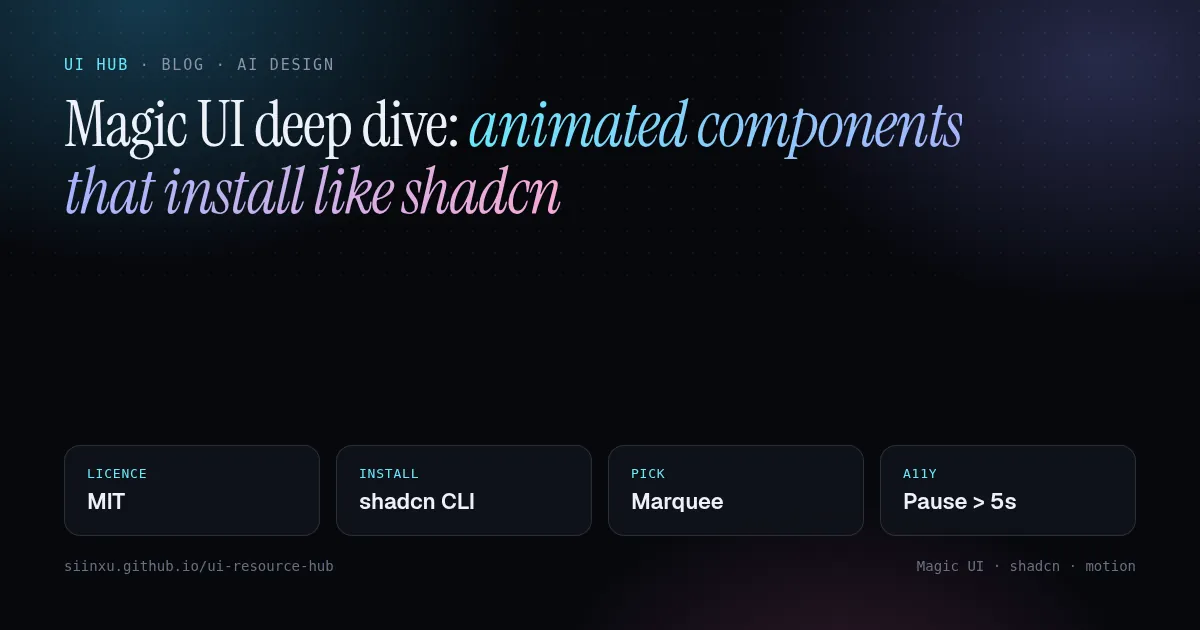
Magic UI 深读:像 shadcn 一样安装的动效组件Magic UI 深讀:像 shadcn 一樣安裝的動效元件Magic UI deep dive: animated components that install like shadcnMagic UI徹底解説:shadcnのように入るアニメ部品Magic UI 심층 분석: shadcn처럼 설치되는 애니메이션 컴포넌트Magic UI mendalam: komponen animasi dipasang seperti shadcnMagic UI chuyên sâu: component động cài như shadcnMagic UI en profondeur : des composants animés qui s'installent comme shadcnMagic UI a fondo: componentes animados que se instalan como shadcnMagic UI im Detail: animierte Komponenten, installiert wie shadcn
一套开源(MIT)的动效组件,通过 shadcn registry 分发。SaaS 页面最值得用的几个,以及如何保持无障碍。一套開源(MIT)的動效元件,透過 shadcn registry 分發。SaaS 頁面最值得用的幾個,以及如何維持無障礙。An open-source (MIT) set of motion components distributed through the shadcn registry. Best picks for SaaS pages and how to keep them accessible.shadcnレジストリで配布されるMITのモーション部品。SaaSページ向けの選び方とアクセシビリティ。shadcn 레지스트리로 배포되는 MIT 모션 컴포넌트. SaaS 페이지 추천과 접근성 유지법.Komponen gerakan sumber terbuka (MIT) melalui registry shadcn.Bộ component chuyển động MIT phân phối qua shadcn registry.Composants animés open source (MIT) distribués via le registre shadcn.Componentes animados open source (MIT) distribuidos por el registro de shadcn.Open-Source-Motion-Komponenten (MIT) über die shadcn-Registry.
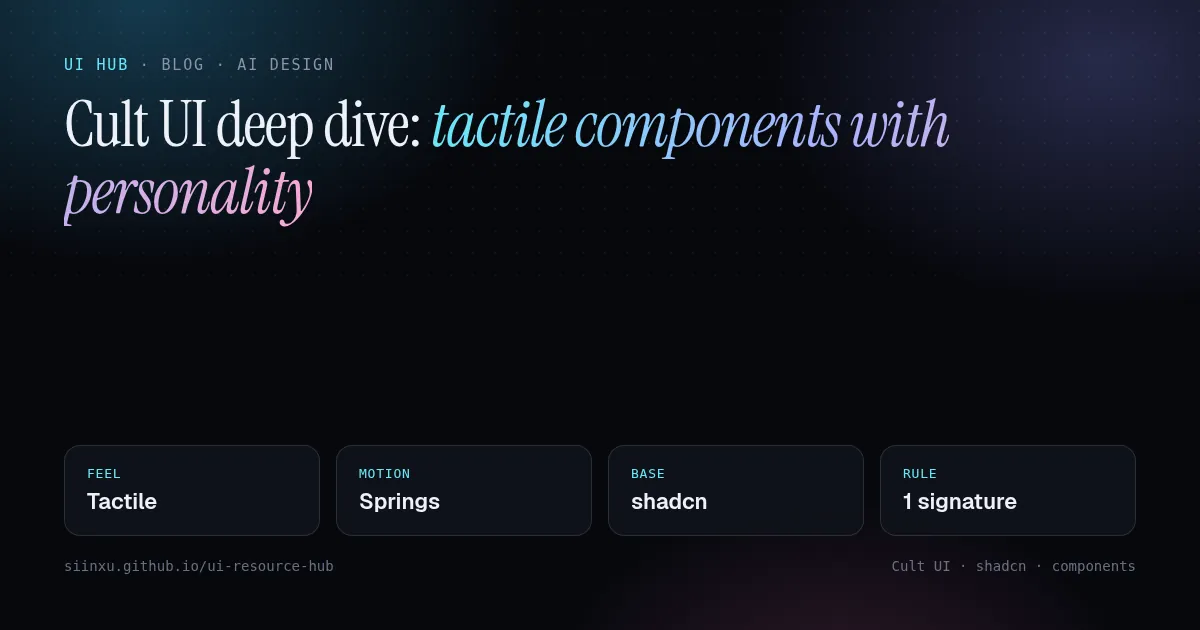
Cult UI 深读:有手感、有个性的组件Cult UI 深讀:有手感、有個性的元件Cult UI deep dive: tactile components with personalityCult UI徹底解説:触感と個性のある部品Cult UI 심층 분석: 촉감과 개성이 있는 컴포넌트Cult UI mendalam: komponen taktil berperibadiCult UI chuyên sâu: component có cảm giác và cá tínhCult UI en profondeur : des composants tactiles avec du caractèreCult UI a fondo: componentes táctiles con personalidadCult UI im Detail: taktile Komponenten mit Charakter
兼容 shadcn、带物理手感的组件:灵动岛、质感按钮、可展开卡片。如何借来个性而不破坏一致性。相容 shadcn、帶物理手感的元件:動態島、質感按鈕、可展開卡片。如何借來個性而不破壞一致性。shadcn-compatible components that feel physical: dynamic islands, textured buttons, expandable cards. How to borrow personality without breaking consistency.shadcn互換で物理的な触感の部品。一貫性を壊さずに個性を借りる方法。shadcn 호환, 물리적 촉감의 컴포넌트. 일관성을 해치지 않고 개성을 빌리는 법.Komponen serasi shadcn yang terasa fizikal.Component tương thích shadcn có cảm giác vật lý.Composants compatibles shadcn au toucher physique.Componentes compatibles con shadcn con tacto físico.shadcn-kompatible Komponenten mit physischem Gefühl.
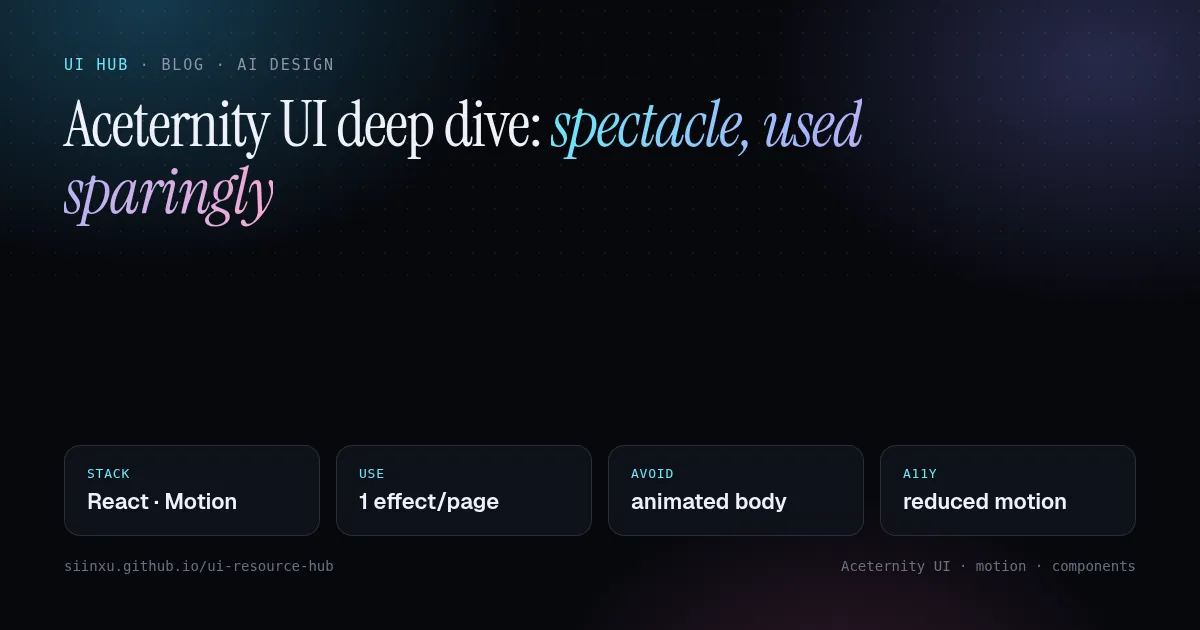
Aceternity UI 深读:惊艳效果,要省着用Aceternity UI 深讀:驚豔效果,要省著用Aceternity UI deep dive: spectacle, used sparinglyAceternity UI徹底解説:派手さは控えめにAceternity UI 심층 분석: 화려함은 아껴서Aceternity UI mendalam: kemewahan, guna dengan jimatAceternity UI chuyên sâu: hiệu ứng ấn tượng, dùng tiết kiệmAceternity UI en profondeur : du spectacle, avec parcimonieAceternity UI a fondo: espectáculo, con moderaciónAceternity UI im Detail: Spektakel, sparsam eingesetzt
可复制粘贴的 React + Tailwind + Motion 特效,带火了「fancy」落地页风格。哪些能撑起页面,哪些会把页面变成特效合集。可複製貼上的 React + Tailwind + Motion 特效,帶紅了「fancy」落地頁風格。哪些能撐起頁面,哪些會讓頁面變成特效合輯。Copy-paste React + Tailwind + Motion effects that made the "fancy" landing look popular. Which pieces carry a page and which turn it into a demo reel.React+Tailwind+Motionのコピペ演出。ページを支える部品と、デモリールにしてしまう部品。복사-붙여넣기 React+Tailwind+Motion 효과. 페이지를 받쳐 주는 것과 데모 릴로 만드는 것.Kesan React+Tailwind+Motion salin-tampal. Mana yang menyokong halaman, mana yang jadi demo.Hiệu ứng React+Tailwind+Motion copy-paste. Phần nào nâng trang, phần nào biến trang thành demo.Effets React+Tailwind+Motion à copier-coller : ce qui porte une page, ce qui en fait une démo.Efectos React+Tailwind+Motion para copiar: lo que sostiene una página y lo que la vuelve demo.Copy-paste-Effekte mit React+Tailwind+Motion: was eine Seite trägt, was sie zur Demo macht.