写 UI 提示词:写规格,不要写愿望寫 UI 提示詞:寫規格,不要寫願望Prompting for UI: write specs, not wishesUIのためのプロンプト:願望ではなく仕様を書くUI 프롬프트: 소원 말고 명세를 써라Prompt untuk UI: tulis spesifikasi, bukan hasratViết prompt cho UI: viết đặc tả, đừng viết mong muốnPrompts pour l'UI : écrire des specs, pas des souhaitsPrompts para UI: escribe especificaciones, no deseosPrompts für UI: Spezifikationen statt Wünsche
"现代、简洁"对模型毫无信息量。要写清布局、token、状态、真实内容和禁区。「現代、簡潔」對模型毫無資訊量。要寫清佈局、token、狀態、真實內容和禁區。"Modern and clean" means nothing to a model. Name layout, tokens, states, content and what to avoid.「モダンでクリーン」はモデルに何も伝えない。レイアウト、トークン、状態、内容、禁止事項を書く。"모던하고 깔끔하게"는 의미가 없다. 레이아웃, 토큰, 상태, 콘텐츠, 금지 사항을 적어라."Moden dan bersih" tiada makna. Nyatakan susun atur, token, keadaan, kandungan dan larangan."Hiện đại, gọn gàng" chẳng nói gì. Hãy nêu bố cục, token, trạng thái, nội dung và điều cấm.« Moderne et épuré » ne dit rien. Précisez mise en page, tokens, états, contenu et interdits."Moderno y limpio" no dice nada. Indica layout, tokens, estados, contenido y prohibiciones.„Modern und clean“ sagt nichts. Nenne Layout, Tokens, Zustände, Inhalt und Verbote.
正文以簡體中文顯示。
本文は英語で表示しています。
본문은 영어로 표시됩니다.
Kandungan dipaparkan dalam bahasa Inggeris.
Nội dung hiển thị bằng tiếng Anh.
Le corps de l’article est en anglais.
El cuerpo del artículo está en inglés.
Der Beitragstext ist auf Englisch.
A UI prompt is a tiny design spec. The model fills every gap you leave with its defaults, and defaults are clichés: a centred hero, three feature cards, a purple-to-blue gradient, emoji as icons. A prompt that says "modern and clean" leaves every gap open. This post shows how to close them with a fixed structure, how to iterate without starting over, and which mistakes waste the most rounds.
Why "make it modern" fails
Language models predict the most likely continuation. For UI, the most likely continuation is the average of thousands of landing pages. Adjectives like modern, clean or premium do not narrow that average, because every template on the web claims all three. What narrows it is information the model cannot guess: your audience, your content, your tokens, your states, and the things you refuse.
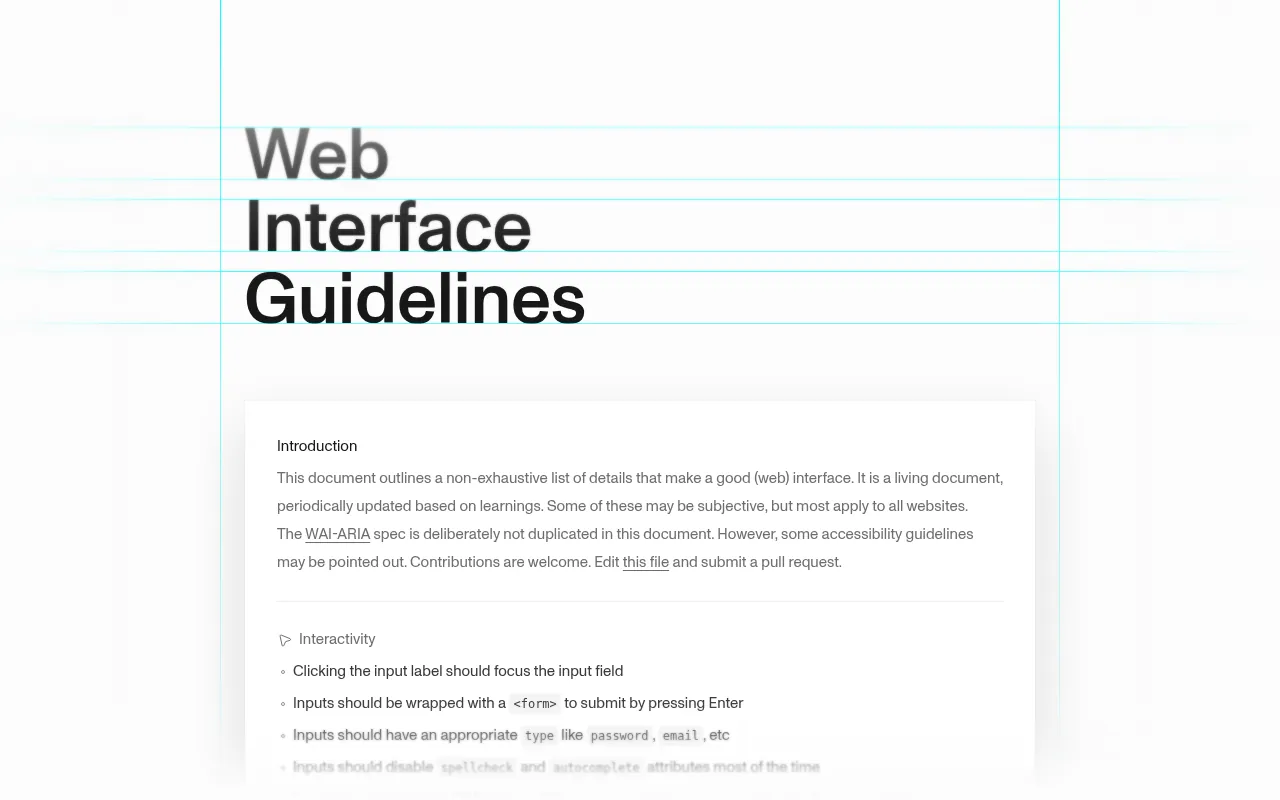
Anthropic's prompt-engineering guide makes the same point in general terms: be clear and direct, give context, and say what the output is for. Vercel's v0 docs add the UI-specific version: describe the layout, name the components and give real content.
The six-slot template
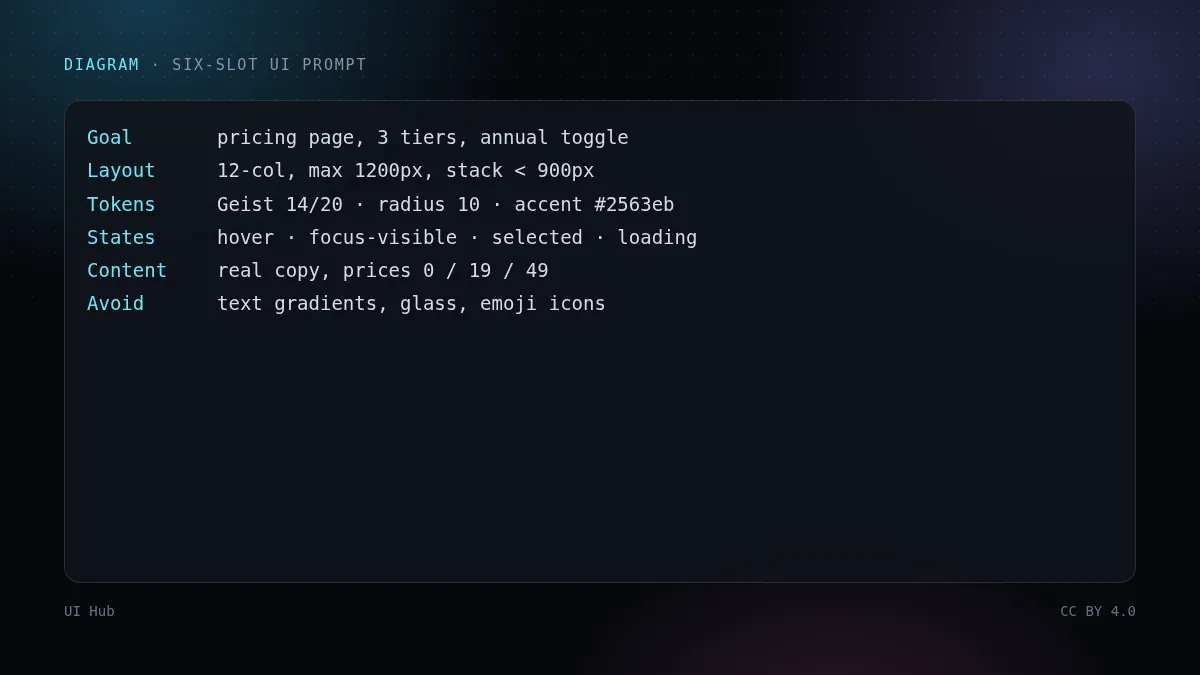
Goal: pricing page for a dev tool, 3 tiers, annual/monthly toggle
Layout: 12-col grid, max 1200px; tiers in one row at >= 900px, stacked below
Tokens: Geist; body 14/20; radius 10; one accent #2563eb; neutral greys only
States: hover, focus-visible ring, selected tier, loading on the CTA, disabled
Content: use the copy below verbatim (no lorem); prices 0 / 19 / 49 USD
Avoid: gradient text, glassmorphism, emoji icons, everything centred, drop shadows > 8px
Each slot answers one question the model would otherwise answer with a default:
- Goal — what the screen is for and the one thing it must do. Keep it to one line.
- Layout — grid, max width, breakpoints and what happens below them. "Responsive" is not a layout.
- Tokens — font, type scale, radius, colour. One accent colour is a constraint the model respects surprisingly well.
- States — hover, focus, selected, loading, empty, error, disabled. Screenshots never show states, so models skip them unless asked.
- Content — paste real copy. Placeholder text hides overflow, wrapping and hierarchy problems that real headlines expose immediately.
- Avoid — a short refuse-list. This is the slot that most changes the look.
A worked example, step by step
Step 1: write the brief. Before the six slots, write two sentences about the audience: "Solo developers comparing three plans on a phone during a commute. They care about the limits table more than the hero." This decides density and what goes above the fold.
Step 2: ask for variants, not a page. The first message should ask for three deliberately different directions, for example "A: editorial, serif headings; B: dense table-first; C: card-based with a toggle". Diversity is cheap for the model and expensive for you to imagine.
Step 3: pick one and critique in named problems. "Make it better" produces random change. Named problems produce targeted change:
Keep variant B. Fix only these:
1. Line length in the FAQ is ~95ch; cap at 68ch.
2. Two accent colours compete (blue CTA, green badge). Use the accent for the CTA only.
3. The selected tier has no visible focus ring when tabbing.
4. Prices are not tabular; use font-variant-numeric: tabular-nums.
Do not change anything else.
Step 4: lock decisions. When a decision is good, move it out of the chat into a file the agent reads every time (a DESIGN.md or token file). Otherwise the next session starts from the average again.
Pitfalls that waste the most rounds
- Stacking adjectives. "Sleek, minimal, bold, playful" is four conflicting instructions. Pick one adjective you want and one you refuse.
- Changing many things per round. If you ask for six changes, you cannot tell which one broke the layout. Two to four named fixes per round is a good rhythm.
- No negative examples. Models follow "avoid X" better after they have produced X once. Put the Avoid line first when iterating.
- Lorem ipsum. It always fits. Your German translation or 40-character product name will not.
- Forgetting the dark theme. Ask for both themes in the first round; retrofitting dark mode is where contrast bugs come from.
- Asking for "pixel perfect" from a screenshot. You get absolute positioning. Ask for your components and tokens instead.
Slot values for three common screens
The template stays the same; what changes is which slots carry the weight. Three examples we reuse:
DATA TABLE
Layout: full width inside a 1280px shell; sticky header; first column sticky on < 768px
Tokens: 13/18 table text; tabular-nums; row height 40; zebra off; 1px dividers
States: sorted column, row hover, row selected (checkbox), loading skeleton rows, empty, error with retry
Content: 8 real rows incl. one 60-char name and one negative number
Avoid: cards on mobile (keep the table, scroll horizontally), icons in every cell
EMPTY STATE
Goal: first-run screen for a project list with zero projects
Layout: centred block max 420px; illustration optional, max 160px tall
Content: one-line headline, one sentence of help, one primary action, one docs link
Avoid: three CTAs, jokes, stock 3D illustrations
SETTINGS FORM
Layout: label column 200px + field column at >= 768px; single column below
States: dirty (unsaved) bar, inline validation on blur, saving, saved toast, server error per field
Avoid: modal dialogs for each setting, auto-save without feedback
Notice that the data table spends its words on states and content, the empty state on content and restraint, and the form on states. When a prompt fails, check which slot that screen depends on and whether you left it to the default.
How to tell if a prompt is done
A useful test: hand the prompt to a colleague and ask them to sketch the screen in two minutes. If they ask "what colour?", "what happens on mobile?" or "what does the button say?", the model would have guessed too. Every question they ask is a slot you have not filled. A second test: could you reject the output using only the prompt? If "it looks off" is your only objection, the prompt has no checkable rules, and the next round will be a lottery.
Keeping reusable prompts
Keep one prompt per component type (pricing, settings form, data table, empty state) in your repo. Each one is the six slots with your tokens already filled in, so a new screen only needs Goal and Content. UI Hub's component cards include a copyable prompt you can start from, and the AI prompt block at the end of this post is a ready-made reviewer prompt.
Checklist
- Two-sentence audience brief written
- All six slots filled; tokens are real values, not adjectives
- First round asks for 3 variants
- Critique lists 2–4 named problems and says "change nothing else"
- Good decisions moved into a file the agent reads every session
- Both themes and all interactive states requested
UI 提示词就是一份迷你设计规格。你留下的每个空白,模型都会用默认值填上,而默认值就是套路:居中大标题、三张特性卡、紫蓝渐变、emoji 当图标。一句"现代、简洁"等于所有空白都没填。这篇讲三件事:怎么用固定结构把空白填满,怎么迭代而不推倒重来,以及哪些错误最浪费轮次。
为什么"做得现代一点"没用
语言模型预测的是最可能的下一段内容。放到界面上,最可能的就是成千上万个落地页的平均值。"现代""简洁""高级"这类形容词收窄不了这个平均值,因为网上每个模板都自称这三样。真正能收窄的,是模型猜不到的信息:你的用户、你的内容、你的 token、你的交互状态,以及你明确拒绝的东西。
Anthropic 的提示工程指南讲的是同一个道理:清楚直接、给足上下文、说明产出用来做什么。Vercel 的 v0 文档给出了界面版的说法:描述布局、点名组件、给真实内容。
六格模板
目标:开发者工具定价页,3 档,年付/月付切换
布局:12 栏网格,最大 1200px;≥900px 三档并排,以下堆叠
Token:Geist 字体;正文 14/20;圆角 10;唯一强调色 #2563eb;只用中性灰
状态:hover、focus-visible 描边、选中档、按钮加载态、禁用态
内容:原样使用下面的文案(不要 lorem);价格 0 / 19 / 49 美元
禁止:文字渐变、玻璃拟态、emoji 图标、全部居中、超过 8px 的投影
每一格回答一个模型本来会用默认值回答的问题:
- 目标:这个页面干什么、必须做到的那一件事。一行写完。
- 布局:网格、最大宽度、断点,以及断点以下怎么变。"响应式"不算布局。
- Token:字体、字号阶梯、圆角、颜色。"只有一个强调色"这种约束,模型执行得出奇地好。
- 状态:hover、焦点、选中、加载、空、错误、禁用。截图里看不到状态,不写模型就会跳过。
- 内容:贴真实文案。占位文字会掩盖溢出、换行和层级问题,真实标题一放进去就暴露了。
- 禁止:一份短的拒绝清单。这一格对最终观感影响最大。
一个完整例子,按步骤来
第 1 步:写简报。 在六格之前,先用两句话写清用户:"独立开发者在通勤路上用手机比较三个套餐,他们更在意额度对比表,而不是首屏大图。"这决定了信息密度和首屏放什么。
第 2 步:要变体,不要单页。 第一条消息让模型给三个刻意不同的方向,比如"A:杂志风,衬线标题;B:表格优先,高密度;C:卡片加切换器"。多样性对模型很便宜,对你来说却很难凭空想出来。
第 3 步:选一个,用具体问题点评。 "再好看一点"只会带来随机改动,点名问题才能带来定向修改:
保留方案 B,只修这几处:
1. FAQ 行宽约 95 字符,限制到 68ch。
2. 两个强调色在打架(蓝色按钮、绿色徽章),强调色只给按钮用。
3. Tab 键切换时,选中档没有可见的焦点描边。
4. 价格数字不等宽,使用 font-variant-numeric: tabular-nums。
其他地方一律不要动。
第 4 步:把决定固化下来。 某个决定好了,就把它从聊天里挪进 Agent 每次都会读的文件(DESIGN.md 或 token 文件)。否则下一次会话又从平均值开始。
最浪费轮次的坑
- 堆形容词。"简约、大胆、俏皮、高级"是四条互相打架的指令。选一个想要的、一个拒绝的就够了。
- 一轮改太多。 一次提六个修改,布局坏了也不知道是哪条导致的。每轮 2 到 4 条最合适。
- 没有反例。 模型自己生成过一次 X 之后,"不要 X"执行得更好。迭代时把"禁止"一行放到最前面。
- 用 lorem ipsum。 它永远放得下,你的德语翻译和 40 个字符的产品名可放不下。
- 忘了深色主题。 第一轮就要求两套主题。事后补深色模式,正是对比度问题的来源。
- 对着截图要"像素级还原"。 得到的是一堆绝对定位。应该要求用你的组件和 token。
三类常见页面的六格写法
模板不变,变的是哪几格最吃重。下面是我们常用的三个例子:
数据表格
布局:在 1280px 外框内占满宽度;表头吸顶;<768px 时首列固定
Token:表格文字 13/18;等宽数字;行高 40;不用斑马纹;1px 分隔线
状态:排序列、行 hover、行选中(复选框)、加载骨架行、空、带重试的错误
内容:8 行真实数据,其中一行名称 60 个字符,一行是负数
禁止:手机上改成卡片(保留表格,横向滚动),每个单元格都加图标
空状态
目标:项目列表首次进入、项目数为零时的页面
布局:居中区块,最大 420px;插图可选,高度不超过 160px
内容:一句标题、一句帮助说明、一个主操作、一个文档链接
禁止:三个按钮、讲段子、库存 3D 插图
设置表单
布局:≥768px 时标签列 200px 加字段列;以下单列
状态:有未保存修改时的提示条、失焦时行内校验、保存中、保存成功提示、按字段显示服务端错误
禁止:每项设置弹一个对话框、静默自动保存没有任何反馈
可以看到:表格把字数花在状态和内容上,空状态花在内容和克制上,表单花在状态上。提示词效果不好时,先看这个页面最依赖哪一格,是不是被你留给了默认值。
怎么判断提示词写完了
一个好用的测试:把提示词交给同事,请他两分钟内画出页面草图。如果他问"什么颜色?""手机上怎么办?""按钮写什么?",模型也一样只能猜。他问的每个问题,都是一格没填的空白。第二个测试:只凭这份提示词,你能不能判定产出不合格?如果你唯一的意见是"感觉不对",说明提示词里没有可检查的规则,下一轮就只能碰运气。
积累可复用的提示词
每类组件留一份提示词放进仓库:定价、设置表单、数据表格、空状态等。每份都是填好你 token 的六格模板,做新页面时只需要改"目标"和"内容"。UI Hub 的组件卡都带可复制的 Prompt,可以直接起步;本文末尾的 AI 提示词也是一份现成的走查提示词。
清单
- 写了两句话的用户简报
- 六格全部填满,token 是具体数值而不是形容词
- 第一轮要求 3 个变体
- 点评只列 2 到 4 个具体问题,并注明"其他不要动"
- 好的决定已经写进 Agent 每次都读的文件
- 要求了两套主题和全部交互状态
A UI prompt is a tiny design spec. The model fills every gap you leave with its defaults, and defaults are clichés: a centred hero, three feature cards, a purple-to-blue gradient, emoji as icons. A prompt that says "modern and clean" leaves every gap open. This post shows how to close them with a fixed structure, how to iterate without starting over, and which mistakes waste the most rounds.
Why "make it modern" fails
Language models predict the most likely continuation. For UI, the most likely continuation is the average of thousands of landing pages. Adjectives like modern, clean or premium do not narrow that average, because every template on the web claims all three. What narrows it is information the model cannot guess: your audience, your content, your tokens, your states, and the things you refuse.
Anthropic's prompt-engineering guide makes the same point in general terms: be clear and direct, give context, and say what the output is for. Vercel's v0 docs add the UI-specific version: describe the layout, name the components and give real content.
The six-slot template
Goal: pricing page for a dev tool, 3 tiers, annual/monthly toggle
Layout: 12-col grid, max 1200px; tiers in one row at >= 900px, stacked below
Tokens: Geist; body 14/20; radius 10; one accent #2563eb; neutral greys only
States: hover, focus-visible ring, selected tier, loading on the CTA, disabled
Content: use the copy below verbatim (no lorem); prices 0 / 19 / 49 USD
Avoid: gradient text, glassmorphism, emoji icons, everything centred, drop shadows > 8px
Each slot answers one question the model would otherwise answer with a default:
- Goal — what the screen is for and the one thing it must do. Keep it to one line.
- Layout — grid, max width, breakpoints and what happens below them. "Responsive" is not a layout.
- Tokens — font, type scale, radius, colour. One accent colour is a constraint the model respects surprisingly well.
- States — hover, focus, selected, loading, empty, error, disabled. Screenshots never show states, so models skip them unless asked.
- Content — paste real copy. Placeholder text hides overflow, wrapping and hierarchy problems that real headlines expose immediately.
- Avoid — a short refuse-list. This is the slot that most changes the look.
A worked example, step by step
Step 1: write the brief. Before the six slots, write two sentences about the audience: "Solo developers comparing three plans on a phone during a commute. They care about the limits table more than the hero." This decides density and what goes above the fold.
Step 2: ask for variants, not a page. The first message should ask for three deliberately different directions, for example "A: editorial, serif headings; B: dense table-first; C: card-based with a toggle". Diversity is cheap for the model and expensive for you to imagine.
Step 3: pick one and critique in named problems. "Make it better" produces random change. Named problems produce targeted change:
Keep variant B. Fix only these:
1. Line length in the FAQ is ~95ch; cap at 68ch.
2. Two accent colours compete (blue CTA, green badge). Use the accent for the CTA only.
3. The selected tier has no visible focus ring when tabbing.
4. Prices are not tabular; use font-variant-numeric: tabular-nums.
Do not change anything else.
Step 4: lock decisions. When a decision is good, move it out of the chat into a file the agent reads every time (a DESIGN.md or token file). Otherwise the next session starts from the average again.
Pitfalls that waste the most rounds
- Stacking adjectives. "Sleek, minimal, bold, playful" is four conflicting instructions. Pick one adjective you want and one you refuse.
- Changing many things per round. If you ask for six changes, you cannot tell which one broke the layout. Two to four named fixes per round is a good rhythm.
- No negative examples. Models follow "avoid X" better after they have produced X once. Put the Avoid line first when iterating.
- Lorem ipsum. It always fits. Your German translation or 40-character product name will not.
- Forgetting the dark theme. Ask for both themes in the first round; retrofitting dark mode is where contrast bugs come from.
- Asking for "pixel perfect" from a screenshot. You get absolute positioning. Ask for your components and tokens instead.
Slot values for three common screens
The template stays the same; what changes is which slots carry the weight. Three examples we reuse:
DATA TABLE
Layout: full width inside a 1280px shell; sticky header; first column sticky on < 768px
Tokens: 13/18 table text; tabular-nums; row height 40; zebra off; 1px dividers
States: sorted column, row hover, row selected (checkbox), loading skeleton rows, empty, error with retry
Content: 8 real rows incl. one 60-char name and one negative number
Avoid: cards on mobile (keep the table, scroll horizontally), icons in every cell
EMPTY STATE
Goal: first-run screen for a project list with zero projects
Layout: centred block max 420px; illustration optional, max 160px tall
Content: one-line headline, one sentence of help, one primary action, one docs link
Avoid: three CTAs, jokes, stock 3D illustrations
SETTINGS FORM
Layout: label column 200px + field column at >= 768px; single column below
States: dirty (unsaved) bar, inline validation on blur, saving, saved toast, server error per field
Avoid: modal dialogs for each setting, auto-save without feedback
Notice that the data table spends its words on states and content, the empty state on content and restraint, and the form on states. When a prompt fails, check which slot that screen depends on and whether you left it to the default.
How to tell if a prompt is done
A useful test: hand the prompt to a colleague and ask them to sketch the screen in two minutes. If they ask "what colour?", "what happens on mobile?" or "what does the button say?", the model would have guessed too. Every question they ask is a slot you have not filled. A second test: could you reject the output using only the prompt? If "it looks off" is your only objection, the prompt has no checkable rules, and the next round will be a lottery.
Keeping reusable prompts
Keep one prompt per component type (pricing, settings form, data table, empty state) in your repo. Each one is the six slots with your tokens already filled in, so a new screen only needs Goal and Content. UI Hub's component cards include a copyable prompt you can start from, and the AI prompt block at the end of this post is a ready-made reviewer prompt.
Checklist
- Two-sentence audience brief written
- All six slots filled; tokens are real values, not adjectives
- First round asks for 3 variants
- Critique lists 2–4 named problems and says "change nothing else"
- Good decisions moved into a file the agent reads every session
- Both themes and all interactive states requested
AI 提示词AI 提示詞AI promptAIプロンプトAI 프롬프트Prompt AIPrompt cho AIPrompt IAPrompt de IAKI-Prompt
复制给 Claude、Cursor、v0 等 AI 助手,让它按本文的方法处理你的项目。尖括号里的内容换成你自己的。複製給 Claude、Cursor、v0 等 AI 助手,讓它按本文的方法處理你的專案。尖括號裡的內容換成你自己的。Paste this into Claude, Cursor, v0 or another assistant to apply this post to your own project. Replace the parts in angle brackets.Claude・Cursor・v0 などのAIアシスタントに貼り付けると、この記事の方法をあなたのプロジェクトに適用できます。山括弧の部分は自分の内容に置き換えてください。Claude, Cursor, v0 같은 AI 도우미에 붙여 넣으면 이 글의 방법을 내 프로젝트에 적용할 수 있습니다. 꺾쇠괄호 안은 내 내용으로 바꾸세요.Tampal ke Claude, Cursor, v0 atau pembantu lain untuk menggunakan kaedah artikel ini pada projek anda. Gantikan bahagian dalam kurungan sudut.Dán vào Claude, Cursor, v0 hoặc trợ lý khác để áp dụng bài này cho dự án của bạn. Thay phần trong dấu ngoặc nhọn bằng nội dung của bạn.Collez-le dans Claude, Cursor, v0 ou un autre assistant pour appliquer cet article à votre projet. Remplacez les parties entre chevrons.Pégalo en Claude, Cursor, v0 u otro asistente para aplicar este artículo a tu proyecto. Sustituye lo que está entre corchetes angulares.In Claude, Cursor, v0 oder einen anderen Assistenten einfügen, um diesen Beitrag auf dein Projekt anzuwenden. Teile in spitzen Klammern ersetzen.
你是一名资深 UI 工程师,负责在提示词发给生成器(v0、Claude、Cursor、Lovable)之前做走查。
把我的提示词改写成六格:目标、布局、Token、状态、内容、禁止。
规则:
- 把所有形容词(现代、简洁、高级)换成具体数值:px、比例、色值、字体、圆角。
- 布局必须写明最大宽度、网格,以及每个断点以下怎么变。
- 状态按需包含 hover、focus-visible、加载、空、错误、禁用。
- 内容必须是真实文案;如果我没给,就问我要,不要自己编。
- 禁止列出 4 到 6 条禁用样式(如文字渐变、玻璃拟态、emoji 图标、全部居中)。
- 第一轮要求 3 个刻意不同的变体。
输出:先用代码块给出改写后的提示词,再列出你填不了的空白,以及每一项需要我回答的问题。
我的提示词:
<粘贴在这里>
你是一名资深 UI 工程师,负责在提示词发给生成器(v0、Claude、Cursor、Lovable)之前做走查。
把我的提示词改写成六格:目标、布局、Token、状态、内容、禁止。
规则:
- 把所有形容词(现代、简洁、高级)换成具体数值:px、比例、色值、字体、圆角。
- 布局必须写明最大宽度、网格,以及每个断点以下怎么变。
- 状态按需包含 hover、focus-visible、加载、空、错误、禁用。
- 内容必须是真实文案;如果我没给,就问我要,不要自己编。
- 禁止列出 4 到 6 条禁用样式(如文字渐变、玻璃拟态、emoji 图标、全部居中)。
- 第一轮要求 3 个刻意不同的变体。
输出:先用代码块给出改写后的提示词,再列出你填不了的空白,以及每一项需要我回答的问题。
我的提示词:
<粘贴在这里>You are a senior UI engineer reviewing a UI prompt before it is sent to a generator (v0, Claude, Cursor, Lovable).
Rewrite my prompt into six slots: Goal, Layout, Tokens, States, Content, Avoid.
Rules:
- Replace every adjective (modern, clean, premium) with a concrete value: px, ratio, colour hex, font, radius.
- Layout must state max width, grid and what happens below each breakpoint.
- States must include hover, focus-visible, loading, empty, error and disabled where relevant.
- Content must be real copy; if I gave none, ask me for it instead of inventing it.
- Avoid must list 4–6 banned patterns (e.g. gradient text, glassmorphism, emoji icons, centred everything).
- Ask for 3 deliberately different variants in the first round.
Output: the rewritten prompt in a code block, then a list of the gaps you could not fill and the question I must answer for each.
My prompt:
<paste here>You are a senior UI engineer reviewing a UI prompt before it is sent to a generator (v0, Claude, Cursor, Lovable).
Rewrite my prompt into six slots: Goal, Layout, Tokens, States, Content, Avoid.
Rules:
- Replace every adjective (modern, clean, premium) with a concrete value: px, ratio, colour hex, font, radius.
- Layout must state max width, grid and what happens below each breakpoint.
- States must include hover, focus-visible, loading, empty, error and disabled where relevant.
- Content must be real copy; if I gave none, ask me for it instead of inventing it.
- Avoid must list 4–6 banned patterns (e.g. gradient text, glassmorphism, emoji icons, centred everything).
- Ask for 3 deliberately different variants in the first round.
Output: the rewritten prompt in a code block, then a list of the gaps you could not fill and the question I must answer for each.
My prompt:
<paste here>You are a senior UI engineer reviewing a UI prompt before it is sent to a generator (v0, Claude, Cursor, Lovable).
Rewrite my prompt into six slots: Goal, Layout, Tokens, States, Content, Avoid.
Rules:
- Replace every adjective (modern, clean, premium) with a concrete value: px, ratio, colour hex, font, radius.
- Layout must state max width, grid and what happens below each breakpoint.
- States must include hover, focus-visible, loading, empty, error and disabled where relevant.
- Content must be real copy; if I gave none, ask me for it instead of inventing it.
- Avoid must list 4–6 banned patterns (e.g. gradient text, glassmorphism, emoji icons, centred everything).
- Ask for 3 deliberately different variants in the first round.
Output: the rewritten prompt in a code block, then a list of the gaps you could not fill and the question I must answer for each.
My prompt:
<paste here>You are a senior UI engineer reviewing a UI prompt before it is sent to a generator (v0, Claude, Cursor, Lovable).
Rewrite my prompt into six slots: Goal, Layout, Tokens, States, Content, Avoid.
Rules:
- Replace every adjective (modern, clean, premium) with a concrete value: px, ratio, colour hex, font, radius.
- Layout must state max width, grid and what happens below each breakpoint.
- States must include hover, focus-visible, loading, empty, error and disabled where relevant.
- Content must be real copy; if I gave none, ask me for it instead of inventing it.
- Avoid must list 4–6 banned patterns (e.g. gradient text, glassmorphism, emoji icons, centred everything).
- Ask for 3 deliberately different variants in the first round.
Output: the rewritten prompt in a code block, then a list of the gaps you could not fill and the question I must answer for each.
My prompt:
<paste here>You are a senior UI engineer reviewing a UI prompt before it is sent to a generator (v0, Claude, Cursor, Lovable).
Rewrite my prompt into six slots: Goal, Layout, Tokens, States, Content, Avoid.
Rules:
- Replace every adjective (modern, clean, premium) with a concrete value: px, ratio, colour hex, font, radius.
- Layout must state max width, grid and what happens below each breakpoint.
- States must include hover, focus-visible, loading, empty, error and disabled where relevant.
- Content must be real copy; if I gave none, ask me for it instead of inventing it.
- Avoid must list 4–6 banned patterns (e.g. gradient text, glassmorphism, emoji icons, centred everything).
- Ask for 3 deliberately different variants in the first round.
Output: the rewritten prompt in a code block, then a list of the gaps you could not fill and the question I must answer for each.
My prompt:
<paste here>You are a senior UI engineer reviewing a UI prompt before it is sent to a generator (v0, Claude, Cursor, Lovable).
Rewrite my prompt into six slots: Goal, Layout, Tokens, States, Content, Avoid.
Rules:
- Replace every adjective (modern, clean, premium) with a concrete value: px, ratio, colour hex, font, radius.
- Layout must state max width, grid and what happens below each breakpoint.
- States must include hover, focus-visible, loading, empty, error and disabled where relevant.
- Content must be real copy; if I gave none, ask me for it instead of inventing it.
- Avoid must list 4–6 banned patterns (e.g. gradient text, glassmorphism, emoji icons, centred everything).
- Ask for 3 deliberately different variants in the first round.
Output: the rewritten prompt in a code block, then a list of the gaps you could not fill and the question I must answer for each.
My prompt:
<paste here>You are a senior UI engineer reviewing a UI prompt before it is sent to a generator (v0, Claude, Cursor, Lovable).
Rewrite my prompt into six slots: Goal, Layout, Tokens, States, Content, Avoid.
Rules:
- Replace every adjective (modern, clean, premium) with a concrete value: px, ratio, colour hex, font, radius.
- Layout must state max width, grid and what happens below each breakpoint.
- States must include hover, focus-visible, loading, empty, error and disabled where relevant.
- Content must be real copy; if I gave none, ask me for it instead of inventing it.
- Avoid must list 4–6 banned patterns (e.g. gradient text, glassmorphism, emoji icons, centred everything).
- Ask for 3 deliberately different variants in the first round.
Output: the rewritten prompt in a code block, then a list of the gaps you could not fill and the question I must answer for each.
My prompt:
<paste here>You are a senior UI engineer reviewing a UI prompt before it is sent to a generator (v0, Claude, Cursor, Lovable).
Rewrite my prompt into six slots: Goal, Layout, Tokens, States, Content, Avoid.
Rules:
- Replace every adjective (modern, clean, premium) with a concrete value: px, ratio, colour hex, font, radius.
- Layout must state max width, grid and what happens below each breakpoint.
- States must include hover, focus-visible, loading, empty, error and disabled where relevant.
- Content must be real copy; if I gave none, ask me for it instead of inventing it.
- Avoid must list 4–6 banned patterns (e.g. gradient text, glassmorphism, emoji icons, centred everything).
- Ask for 3 deliberately different variants in the first round.
Output: the rewritten prompt in a code block, then a list of the gaps you could not fill and the question I must answer for each.
My prompt:
<paste here>引用来源引用來源References参考文献참고 자료RujukanNguồn tham khảoRéférencesReferenciasQuellen
- Web Interface Guidelines — Vercel
- Web Interface Guidelines (interfaces.rauno.me) — Rauno Freiberg
- v0 Documentation — Vercel
- Refactoring UI — Adam Wathan & Steve Schoger
- Prompt engineering overview — Anthropic
相关文章相關文章Related posts関連記事관련 글Artikel berkaitanBài liên quanArticles liésArtículos relacionadosÄhnliche Beiträge
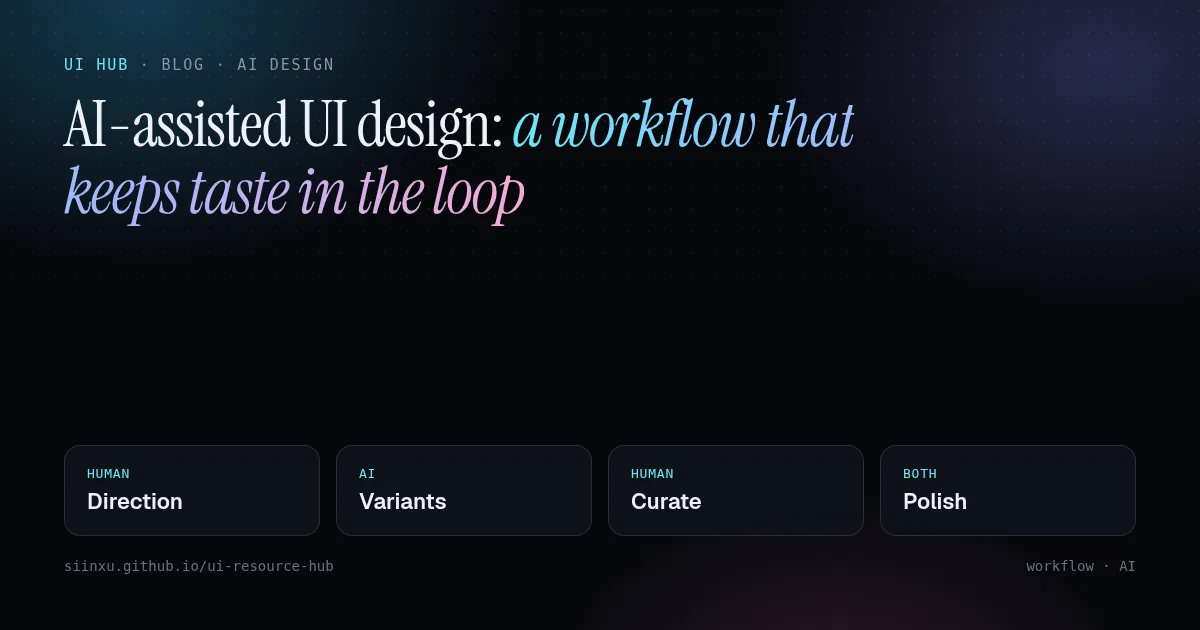
AI 辅助 UI 设计:一条不丢审美的工作流AI 輔助 UI 設計:一條不丟審美的工作流AI-assisted UI design: a workflow that keeps taste in the loopAI支援UIデザイン:センスを手放さないワークフローAI 보조 UI 디자인: 취향을 잃지 않는 워크플로Reka bentuk UI berbantu AI: aliran kerja yang mengekalkan cita rasaThiết kế UI có AI hỗ trợ: quy trình giữ được gu thẩm mỹDesign d'UI assisté par l'IA : un flux qui garde le goût dans la boucleDiseño de UI asistido por IA: un flujo que mantiene el criterioKI-gestütztes UI-Design: ein Workflow, der Geschmack im Spiel hält
生成器快但平庸。把活拆开:人定方向和约束,AI 铺变体,人来挑选和打磨。生成器快但平庸。把活拆開:人定方向和約束,AI 鋪變體,人來挑選和打磨。Generators are fast but average. Split the job: humans set direction and constraints, AI explores variants, humans curate and polish.生成ツールは速いが平均的。方向と制約は人、バリエーションはAI、選別と仕上げは人。생성기는 빠르지만 평범하다. 방향과 제약은 사람, 변형은 AI, 선별과 다듬기는 사람.Penjana pantas tetapi biasa. Manusia tetapkan hala, AI teroka variasi, manusia pilih dan gilap.Công cụ sinh nhanh nhưng tầm thường. Người định hướng, AI khám phá biến thể, người chọn lọc và hoàn thiện.Rapides mais moyens : l'humain fixe la direction, l'IA explore, l'humain sélectionne et peaufine.Rápidos pero promedio: el humano fija la dirección, la IA explora, el humano elige y pule.Schnell, aber durchschnittlich: Mensch gibt Richtung vor, KI exploriert, Mensch kuratiert und poliert.
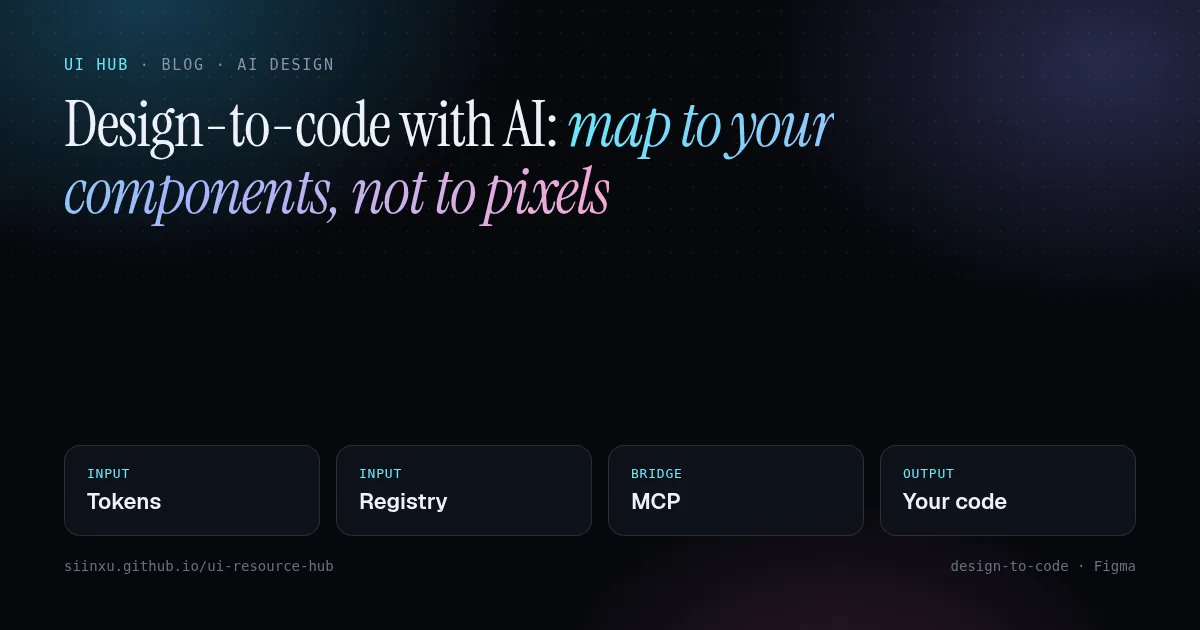
用 AI 从设计稿到代码:映射到组件,而不是像素用 AI 從設計稿到程式碼:對應到元件,而不是像素Design-to-code with AI: map to your components, not to pixelsAIでデザインからコードへ:ピクセルではなくコンポーネントに対応付けるAI로 디자인→코드: 픽셀이 아니라 컴포넌트에 매핑하라Reka bentuk ke kod dengan AI: petakan ke komponen, bukan pikselTừ thiết kế sang code bằng AI: ánh xạ vào component, không phải pixelDu design au code avec l'IA : mapper vers vos composants, pas des pixelsDe diseño a código con IA: mapea a tus componentes, no a píxelesDesign-to-Code mit KI: auf Komponenten mappen, nicht auf Pixel
像素级导出只会产出一次性代码。通过 MCP 把组件注册表和 token 交给 Agent,让产出复用现有组件。像素級匯出只會產出一次性程式碼。透過 MCP 把元件註冊表和 token 交給 Agent。Pixel-perfect export creates throwaway code. Give the agent your component registry and tokens via MCP so output reuses what you already ship.ピクセル完全な書き出しは使い捨てコードになる。MCPでレジストリとトークンを渡そう。픽셀 퍼펙트 내보내기는 일회용 코드다. MCP로 레지스트리와 토큰을 넘겨라.Eksport piksel sempurna menghasilkan kod pakai buang. Beri registri komponen dan token melalui MCP.Xuất pixel-perfect tạo code dùng một lần. Đưa registry và token qua MCP.L'export au pixel produit du code jetable. Donnez registre et tokens via MCP.Exportar al píxel crea código desechable. Pasa registro y tokens vía MCP.Pixelgenauer Export erzeugt Wegwerfcode. Registry und Tokens per MCP übergeben.
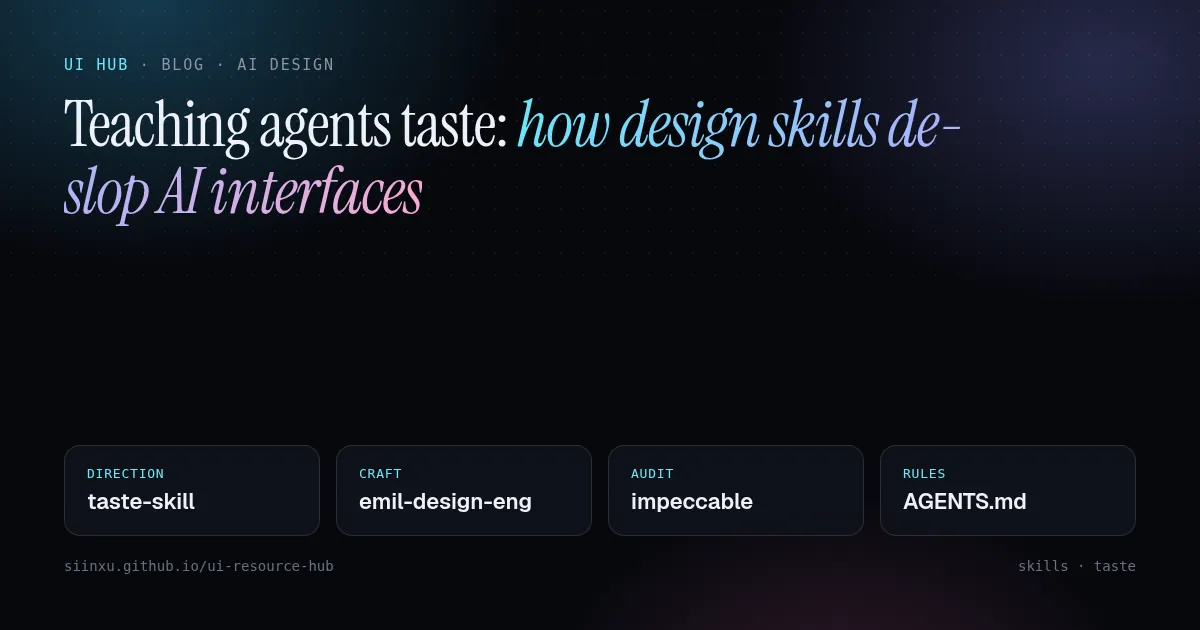
教 Agent 审美:设计 skill 如何去掉 AI 味教 Agent 審美:設計 skill 如何去掉 AI 味Teaching agents taste: how design skills de-slop AI interfacesエージェントにセンスを教える:デザインスキルでAIっぽさを消す에이전트에게 취향 가르치기: 디자인 스킬로 AI 티 없애기Mengajar ejen cita rasa: kemahiran reka bentuk membuang rupa "AI"Dạy agent gu thẩm mỹ: skill thiết kế xoá "mùi AI"Apprendre le goût aux agents : les skills de design contre l'UI génériqueEnseñar criterio a los agentes: skills de diseño contra la UI genéricaAgenten Geschmack beibringen: Design-Skills gegen generische KI-UIs
frontend-design、taste-skill、impeccable 等 skill 把设计观点打包成文件,Agent 按需加载。这里讲怎么组合。frontend-design、taste-skill、impeccable 等 skill 把設計觀點打包成檔案,Agent 按需載入。Skills like frontend-design, taste-skill and impeccable package opinions as files agents load on demand. Here is how to combine them.frontend-design、taste-skill、impeccableなどは設計の意見をファイル化したもの。組み合わせ方を解説。frontend-design, taste-skill, impeccable 같은 스킬은 디자인 관점을 파일로 담는다. 조합법.Kemahiran seperti frontend-design, taste-skill dan impeccable membungkus pendapat reka bentuk. Cara menggabungkannya.Các skill như frontend-design, taste-skill, impeccable đóng gói quan điểm thiết kế. Cách kết hợp.frontend-design, taste-skill, impeccable : des opinions de design en fichiers. Comment les combiner.frontend-design, taste-skill, impeccable: opiniones de diseño en archivos. Cómo combinarlas.frontend-design, taste-skill, impeccable: Design-Meinungen als Dateien. So kombiniert man sie.