给智能体的设计 Token:让 AI 产出符合品牌的那份文件給智慧體的設計 Token:讓 AI 產出符合品牌的那份檔案Design tokens for agents: the file that makes AI output on-brandエージェントのためのデザイントークン에이전트를 위한 디자인 토큰Token reka bentuk untuk ejenDesign token cho agent: file giúp AI ra đúng thương hiệuDes design tokens pour les agentsDesign tokens para agentesDesign Tokens für Agents
一份机器可读的 Token 文件(W3C DTCG 格式)加一段简短用法说明,胜过提示里任何形容词。结构、命名和交给智能体的方法。一份機器可讀的 Token 檔(W3C DTCG 格式)加一段簡短用法說明,勝過提示裡任何形容詞。結構、命名與交給智慧體的方法。A machine-readable token file (the W3C DTCG format) plus a short usage note beats any adjective in a prompt. Structure, naming, and how to hand it to an agent.機械可読なトークン(W3C DTCG)と短い使い方メモはどんな形容詞にも勝る。기계가 읽는 토큰 파일(W3C DTCG)과 짧은 사용법이 어떤 형용사보다 낫다.Fail token boleh dibaca mesin (DTCG) mengatasi kata sifat dalam prompt.File token máy đọc được (DTCG) cùng ghi chú ngắn hơn mọi tính từ trong prompt.Un fichier de tokens lisible par machine (DTCG) vaut mieux que tout adjectif.Un archivo de tokens legible por máquina (DTCG) supera a cualquier adjetivo.Eine maschinenlesbare Token-Datei (DTCG) schlägt jedes Adjektiv.
正文以簡體中文顯示。
本文は英語で表示しています。
본문은 영어로 표시됩니다.
Kandungan dipaparkan dalam bahasa Inggeris.
Nội dung hiển thị bằng tiếng Anh.
Le corps de l’article est en anglais.
El cuerpo del artículo está en inglés.
Der Beitragstext ist auf Englisch.
Agents follow concrete values far more reliably than descriptions. A design token file turns "clean, premium, a bit playful" into numbers the agent can apply everywhere. The W3C Design Tokens Community Group (DTCG) publishes a vendor-neutral JSON format for this, supported by tools such as Style Dictionary and Tokens Studio.
A minimal structure
{
  "color": { "accent": { "$type": "color", "$value": "oklch(62% 0.17 250)" } },
  "radius": { "md": { "$type": "dimension", "$value": "10px" } },
  "space": { "4": { "$type": "dimension", "$value": "16px" } }
}
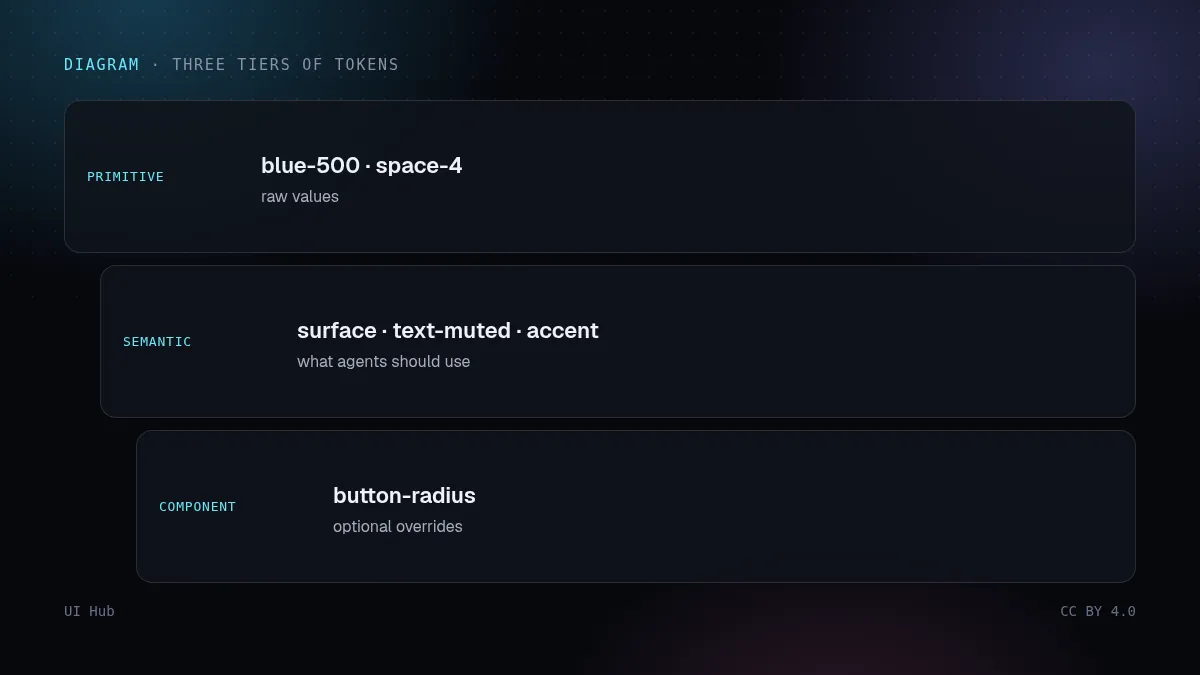
Three tiers of naming
- Primitive: raw values (
blue-500,space-4). - Semantic: intent (
surface,text-muted,accent,danger). Agents should mostly use these. - Component: optional overrides (
button-radius).
Handing it to an agent
- Export tokens to CSS variables and commit them; tell the agent "never hard-code colours or spacing, use these variables".
- Add a one-page usage note: which token for which job, plus three do/don't pairs.
- Reference both from your AGENTS.md, Cursor rules or skill so every session loads them.
- Verify: grep generated code for raw hex values as a cheap lint.
Our encyclopedia's colour, spacing and type spec digests are written to be pasted into exactly this kind of usage note.
智能体遵循具体数值远比遵循描述可靠。设计 Token 文件把「干净、高级、带点俏皮」变成智能体能处处套用的数字。W3C 设计 Token 社区组(DTCG)为此发布了一种与厂商无关的 JSON 格式,Style Dictionary、Tokens Studio 等工具都支持。
最小结构
{
  "color": { "accent": { "$type": "color", "$value": "oklch(62% 0.17 250)" } },
  "radius": { "md": { "$type": "dimension", "$value": "10px" } },
  "space": { "4": { "$type": "dimension", "$value": "16px" } }
}三层命名
- 基础层:原始值(
blue-500、space-4)。 - 语义层:表达意图(
surface、text-muted、accent、danger)。智能体应主要用这一层。 - 组件层:可选的覆盖值(
button-radius)。
交给智能体
- 把 Token 导出成 CSS 变量并提交;告诉智能体「颜色和间距一律不许写死,用这些变量」。
- 附一页用法说明:哪个 Token 用在哪里,再加三组该做/不该做。
- 在 AGENTS.md、Cursor rules 或 skill 里引用这两份文件,让每次会话都加载。
- 验证:在生成的代码里搜索裸十六进制色值,这是最便宜的检查。
本站百科里的颜色、间距、字体规范摘要,就是按能直接贴进这类用法说明的格式写的。
Agents follow concrete values far more reliably than descriptions. A design token file turns "clean, premium, a bit playful" into numbers the agent can apply everywhere. The W3C Design Tokens Community Group (DTCG) publishes a vendor-neutral JSON format for this, supported by tools such as Style Dictionary and Tokens Studio.
A minimal structure
{
  "color": { "accent": { "$type": "color", "$value": "oklch(62% 0.17 250)" } },
  "radius": { "md": { "$type": "dimension", "$value": "10px" } },
  "space": { "4": { "$type": "dimension", "$value": "16px" } }
}Three tiers of naming
- Primitive: raw values (
blue-500,space-4). - Semantic: intent (
surface,text-muted,accent,danger). Agents should mostly use these. - Component: optional overrides (
button-radius).
Handing it to an agent
- Export tokens to CSS variables and commit them; tell the agent "never hard-code colours or spacing, use these variables".
- Add a one-page usage note: which token for which job, plus three do/don't pairs.
- Reference both from your AGENTS.md, Cursor rules or skill so every session loads them.
- Verify: grep generated code for raw hex values as a cheap lint.
Our encyclopedia's colour, spacing and type spec digests are written to be pasted into exactly this kind of usage note.
AI 提示词AI 提示詞AI promptAIプロンプトAI 프롬프트Prompt AIPrompt cho AIPrompt IAPrompt de IAKI-Prompt
复制给 Claude、Cursor、v0 等 AI 助手,让它按本文的方法处理你的项目。尖括号里的内容换成你自己的。複製給 Claude、Cursor、v0 等 AI 助手,讓它按本文的方法處理你的專案。尖括號裡的內容換成你自己的。Paste this into Claude, Cursor, v0 or another assistant to apply this post to your own project. Replace the parts in angle brackets.Claude・Cursor・v0 などのAIアシスタントに貼り付けると、この記事の方法をあなたのプロジェクトに適用できます。山括弧の部分は自分の内容に置き換えてください。Claude, Cursor, v0 같은 AI 도우미에 붙여 넣으면 이 글의 방법을 내 프로젝트에 적용할 수 있습니다. 꺾쇠괄호 안은 내 내용으로 바꾸세요.Tampal ke Claude, Cursor, v0 atau pembantu lain untuk menggunakan kaedah artikel ini pada projek anda. Gantikan bahagian dalam kurungan sudut.Dán vào Claude, Cursor, v0 hoặc trợ lý khác để áp dụng bài này cho dự án của bạn. Thay phần trong dấu ngoặc nhọn bằng nội dung của bạn.Collez-le dans Claude, Cursor, v0 ou un autre assistant pour appliquer cet article à votre projet. Remplacez les parties entre chevrons.Pégalo en Claude, Cursor, v0 u otro asistente para aplicar este artículo a tu proyecto. Sustituye lo que está entre corchetes angulares.In Claude, Cursor, v0 oder einen anderen Assistenten einfügen, um diesen Beitrag auf dein Projekt anzuwenden. Teile in spitzen Klammern ersetzen.
你是一名资深 UI 工程师。请把文章《给智能体的设计 Token:让 AI 产出符合品牌的那份文件》(https://ui.incidental.site/blog/design-tokens-for-agents/)的方法用到我的项目上。
核心观点:一份机器可读的 Token 文件(W3C DTCG 格式)加一段简短用法说明,胜过提示里任何形容词。结构、命名和交给智能体的方法。
步骤:
1. 读文章,把建议整理成一份具体、可检查的编号清单。
2. 用这份清单检查 <我的页面 / 组件 / 仓库>,每条标注通过或不通过,并写明文件和行号。
3. 用我现有的 token 和组件,小批量修复不通过的项。不要编造 API,以文章链接的官方文档为准。
4. 最后列出待确认的问题和你无法核实的内容。
你是一名資深 UI 工程師。請把文章《給智慧體的設計 Token:讓 AI 產出符合品牌的那份檔案》(https://ui.incidental.site/blog/design-tokens-for-agents/)的方法用到我的專案上。
核心觀點:一份機器可讀的 Token 檔(W3C DTCG 格式)加一段簡短用法說明,勝過提示裡任何形容詞。結構、命名與交給智慧體的方法。
步驟:
1. 讀文章,把建議整理成一份具體、可檢查的編號清單。
2. 用這份清單檢查 <我的頁面 / 元件 / 儲存庫>,每條標註通過或不通過,並寫明檔案和行號。
3. 用我現有的 token 和元件,小批量修復不通過的項目。不要編造 API,以文章連結的官方文件為準。
4. 最後列出待確認的問題和你無法核實的內容。You are a senior UI engineer. Apply the article “Design tokens for agents: the file that makes AI output on-brand” (https://ui.incidental.site/blog/design-tokens-for-agents/) to my project.
Key idea: A machine-readable token file (the W3C DTCG format) plus a short usage note beats any adjective in a prompt. Structure, naming, and how to hand it to an agent.
Steps:
1. Read the article and turn its advice into a numbered checklist of concrete, checkable rules.
2. Audit <my page / component / repo> against that checklist; mark each rule PASS or FAIL with file and line.
3. Fix the FAIL items in small batches, using my existing tokens and components. Do not invent APIs; follow the official docs the article links to.
4. Finish with a short list of open questions and anything you could not verify.あなたはシニアUIエンジニアです。記事「エージェントのためのデザイントークン」(https://ui.incidental.site/blog/design-tokens-for-agents/)の方法を私のプロジェクトに適用してください。
要点:機械可読なトークン(W3C DTCG)と短い使い方メモはどんな形容詞にも勝る。
手順:
1. 記事を読み、助言を具体的で確認可能な番号付きチェックリストにする。
2. そのチェックリストで <私のページ / コンポーネント / リポジトリ> を監査し、各項目を合格/不合格で示し、ファイルと行番号を書く。
3. 不合格の項目を、既存のトークンとコンポーネントを使って少しずつ修正する。APIを捏造せず、記事がリンクする公式ドキュメントに従う。
4. 最後に未解決の質問と検証できなかった点を挙げる。당신은 시니어 UI 엔지니어입니다. 글 “에이전트를 위한 디자인 토큰”(https://ui.incidental.site/blog/design-tokens-for-agents/)의 방법을 내 프로젝트에 적용해 주세요.
핵심: 기계가 읽는 토큰 파일(W3C DTCG)과 짧은 사용법이 어떤 형용사보다 낫다.
단계:
1. 글을 읽고 조언을 구체적이고 확인 가능한 번호 목록으로 정리한다.
2. 그 목록으로 <내 페이지 / 컴포넌트 / 저장소>를 점검하고, 항목마다 통과/실패와 파일·줄 번호를 적는다.
3. 실패 항목을 기존 토큰과 컴포넌트로 조금씩 고친다. API를 지어내지 말고 글에 링크된 공식 문서를 따른다.
4. 마지막으로 남은 질문과 확인하지 못한 내용을 정리한다.Anda jurutera UI kanan. Gunakan kaedah artikel “Token reka bentuk untuk ejen” (https://ui.incidental.site/blog/design-tokens-for-agents/) pada projek saya.
Idea utama: Fail token boleh dibaca mesin (DTCG) mengatasi kata sifat dalam prompt.
Langkah:
1. Baca artikel dan jadikan nasihatnya senarai semak bernombor yang konkrit dan boleh disemak.
2. Audit <halaman / komponen / repo saya> dengan senarai itu; tandakan setiap peraturan LULUS atau GAGAL dengan fail dan baris.
3. Baiki item GAGAL sedikit demi sedikit menggunakan token dan komponen sedia ada. Jangan reka API; ikut dokumen rasmi yang dipautkan artikel.
4. Akhiri dengan soalan terbuka dan perkara yang tidak dapat disahkan.Bạn là kỹ sư UI cấp cao. Hãy áp dụng bài viết “Design token cho agent: file giúp AI ra đúng thương hiệu” (https://ui.incidental.site/blog/design-tokens-for-agents/) cho dự án của tôi.
Ý chính: File token máy đọc được (DTCG) cùng ghi chú ngắn hơn mọi tính từ trong prompt.
Các bước:
1. Đọc bài và biến lời khuyên thành danh sách kiểm tra đánh số, cụ thể, kiểm chứng được.
2. Rà soát <trang / component / repo của tôi> theo danh sách đó; ghi ĐẠT hoặc KHÔNG ĐẠT kèm tệp và dòng.
3. Sửa các mục KHÔNG ĐẠT theo từng đợt nhỏ, dùng token và component sẵn có. Không bịa API; làm theo tài liệu chính thức mà bài viết dẫn tới.
4. Kết thúc bằng các câu hỏi còn mở và những điểm chưa xác minh được.Tu es ingénieur UI senior. Applique l’article « Des design tokens pour les agents » (https://ui.incidental.site/blog/design-tokens-for-agents/) à mon projet.
Idée clé : Un fichier de tokens lisible par machine (DTCG) vaut mieux que tout adjectif.
Étapes :
1. Lis l’article et transforme ses conseils en une liste numérotée de règles concrètes et vérifiables.
2. Audite <ma page / mon composant / mon dépôt> avec cette liste ; indique OK ou KO pour chaque règle, avec fichier et ligne.
3. Corrige les points KO par petits lots, avec mes tokens et composants existants. N’invente pas d’API ; suis la documentation officielle citée par l’article.
4. Termine par les questions ouvertes et ce que tu n’as pas pu vérifier.Eres un ingeniero de UI sénior. Aplica el artículo “Design tokens para agentes” (https://ui.incidental.site/blog/design-tokens-for-agents/) a mi proyecto.
Idea clave: Un archivo de tokens legible por máquina (DTCG) supera a cualquier adjetivo.
Pasos:
1. Lee el artículo y convierte sus consejos en una lista numerada de reglas concretas y comprobables.
2. Audita <mi página / componente / repositorio> con esa lista; marca cada regla como CUMPLE o NO CUMPLE con archivo y línea.
3. Corrige los puntos que no cumplen en lotes pequeños, usando mis tokens y componentes actuales. No inventes APIs; sigue la documentación oficial que enlaza el artículo.
4. Termina con las preguntas abiertas y lo que no pudiste verificar.Du bist Senior-UI-Engineer. Wende den Artikel „Design Tokens für Agents“ (https://ui.incidental.site/blog/design-tokens-for-agents/) auf mein Projekt an.
Kernidee: Eine maschinenlesbare Token-Datei (DTCG) schlägt jedes Adjektiv.
Schritte:
1. Lies den Artikel und mach aus den Empfehlungen eine nummerierte Liste konkreter, prüfbarer Regeln.
2. Prüfe <meine Seite / Komponente / mein Repo> anhand dieser Liste; markiere jede Regel mit OK oder FEHLT, mit Datei und Zeile.
3. Behebe die fehlenden Punkte in kleinen Schritten mit meinen vorhandenen Tokens und Komponenten. Erfinde keine APIs; folge der offiziellen Doku, die der Artikel verlinkt.
4. Schließe mit offenen Fragen und dem, was du nicht prüfen konntest.引用来源引用來源References参考文献참고 자료RujukanNguồn tham khảoRéférencesReferenciasQuellen
- Design Tokens Community Group — W3C
- Design Tokens Format Module — DTCG
- Style Dictionary — Style Dictionary
- Tokens Studio — Tokens Studio
相关文章相關文章Related posts関連記事관련 글Artikel berkaitanBài liên quanArticles liésArtículos relacionadosÄhnliche Beiträge
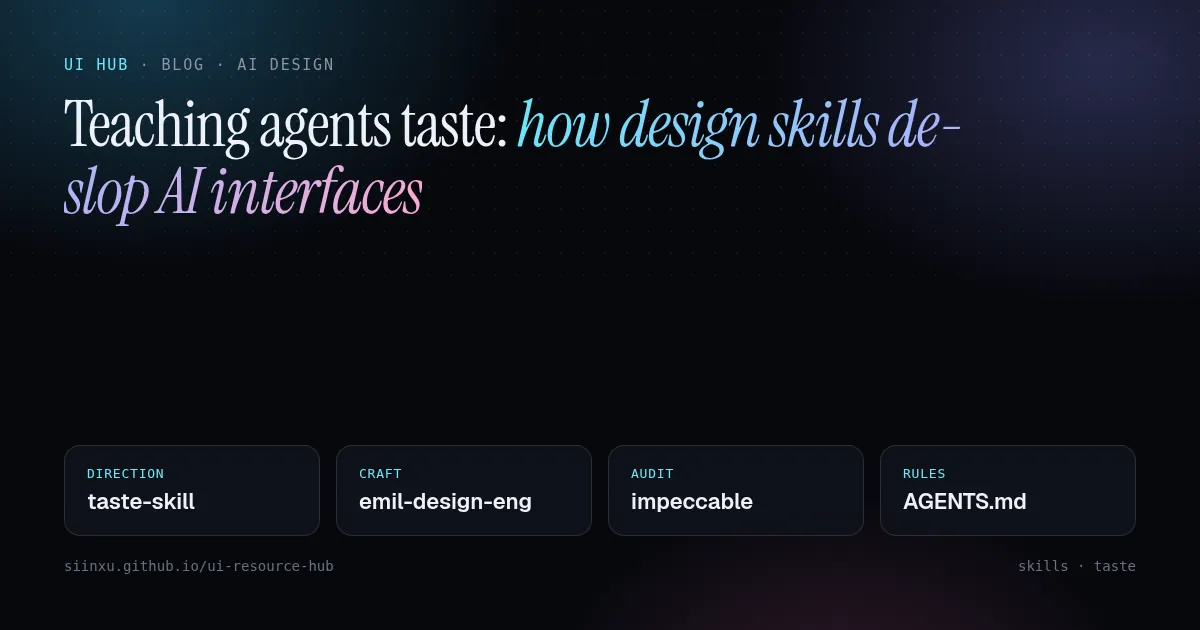
教 Agent 审美:设计 skill 如何去掉 AI 味教 Agent 審美:設計 skill 如何去掉 AI 味Teaching agents taste: how design skills de-slop AI interfacesエージェントにセンスを教える:デザインスキルでAIっぽさを消す에이전트에게 취향 가르치기: 디자인 스킬로 AI 티 없애기Mengajar ejen cita rasa: kemahiran reka bentuk membuang rupa "AI"Dạy agent gu thẩm mỹ: skill thiết kế xoá "mùi AI"Apprendre le goût aux agents : les skills de design contre l'UI génériqueEnseñar criterio a los agentes: skills de diseño contra la UI genéricaAgenten Geschmack beibringen: Design-Skills gegen generische KI-UIs
frontend-design、taste-skill、impeccable 等 skill 把设计观点打包成文件,Agent 按需加载。这里讲怎么组合。frontend-design、taste-skill、impeccable 等 skill 把設計觀點打包成檔案,Agent 按需載入。Skills like frontend-design, taste-skill and impeccable package opinions as files agents load on demand. Here is how to combine them.frontend-design、taste-skill、impeccableなどは設計の意見をファイル化したもの。組み合わせ方を解説。frontend-design, taste-skill, impeccable 같은 스킬은 디자인 관점을 파일로 담는다. 조합법.Kemahiran seperti frontend-design, taste-skill dan impeccable membungkus pendapat reka bentuk. Cara menggabungkannya.Các skill như frontend-design, taste-skill, impeccable đóng gói quan điểm thiết kế. Cách kết hợp.frontend-design, taste-skill, impeccable : des opinions de design en fichiers. Comment les combiner.frontend-design, taste-skill, impeccable: opiniones de diseño en archivos. Cómo combinarlas.frontend-design, taste-skill, impeccable: Design-Meinungen als Dateien. So kombiniert man sie.
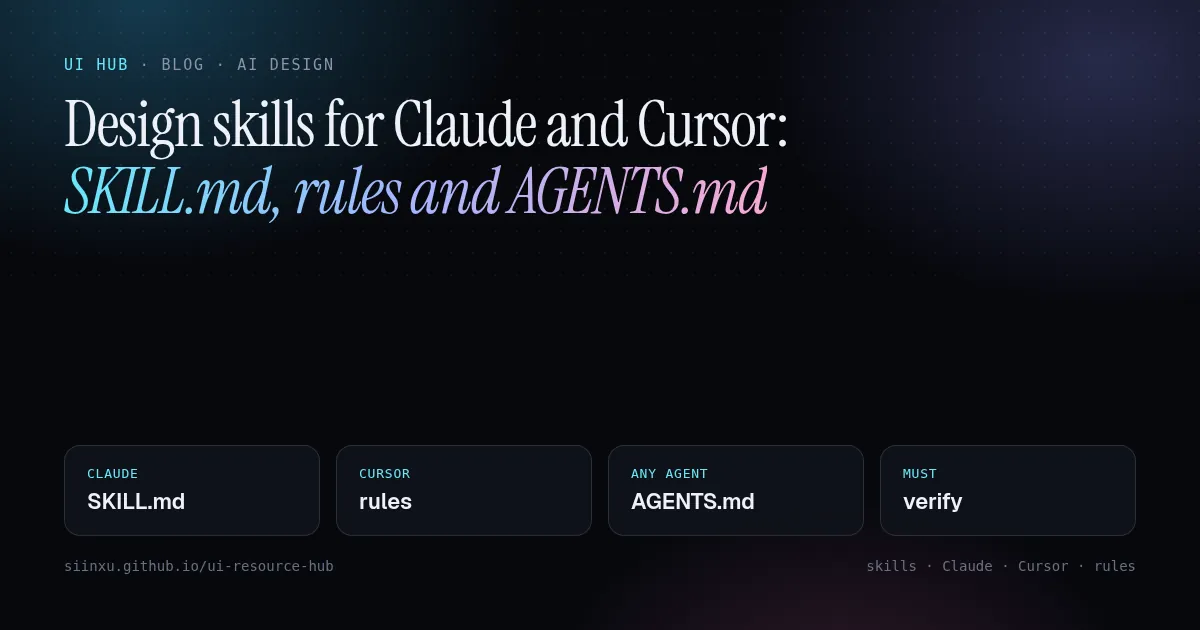
Claude 与 Cursor 的设计技能:SKILL.md、rules 和 AGENTS.mdClaude 與 Cursor 的設計技能:SKILL.md、rules 和 AGENTS.mdDesign skills for Claude and Cursor: SKILL.md, rules and AGENTS.mdClaudeとCursorのデザインスキル:SKILL.md・rules・AGENTS.mdClaude와 Cursor의 디자인 스킬: SKILL.md, rules, AGENTS.mdKemahiran reka bentuk untuk Claude dan CursorSkill thiết kế cho Claude và Cursor: SKILL.md, rules, AGENTS.mdCompétences design pour Claude et CursorSkills de diseño para Claude y CursorDesign-Skills für Claude und Cursor
三种文件格式,一个思路:智能体在相关时加载的持久指令。怎样写一个真正改变产出的设计技能,附模板。三種檔案格式,一個思路:智慧體在相關時載入的持久指令。怎樣寫一個真正改變產出的設計技能,附範本。Three file formats, one idea: durable instructions an agent loads when relevant. How to write a design skill that changes output, with a template.3つの形式、1つの考え方。出力を変えるデザインスキルの書き方とテンプレート。세 가지 형식, 하나의 아이디어. 출력을 바꾸는 디자인 스킬 작성법과 템플릿.Tiga format fail, satu idea. Cara menulis kemahiran reka bentuk, dengan templat.Ba định dạng, một ý tưởng. Cách viết skill thiết kế thật sự thay đổi kết quả, kèm mẫu.Trois formats, une idée. Comment écrire une compétence design efficace, avec modèle.Tres formatos, una idea. Cómo escribir un skill de diseño eficaz, con plantilla.Drei Formate, eine Idee. So schreibt man einen wirksamen Design-Skill, mit Vorlage.
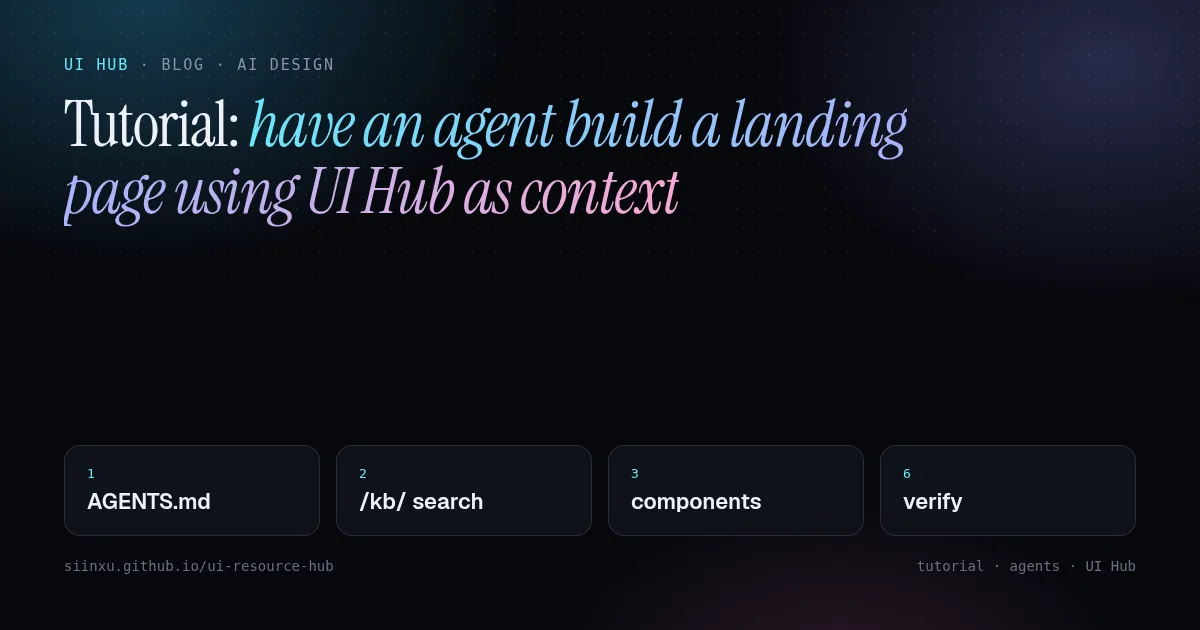
教程:让智能体以 UI Hub 为上下文搭一个落地页教學:讓智慧體以 UI Hub 為上下文搭一個落地頁Tutorial: have an agent build a landing page using UI Hub as contextチュートリアル:UI Hubを文脈にエージェントでLPを作る튜토리얼: UI Hub를 컨텍스트로 에이전트가 랜딩 페이지 만들기Tutorial: ejen bina halaman pendaratan dengan UI HubHướng dẫn: để agent dựng landing page với UI Hub làm ngữ cảnhTutoriel : un agent construit une landing avec UI Hub comme contexteTutorial: un agente crea una landing con UI Hub como contextoTutorial: ein Agent baut eine Landingpage mit UI Hub als Kontext
从空文件夹到验证通过的页面六步走:加载 AGENTS.md、搜索百科、挑组件、加载技能、构建、浏览器验证。從空資料夾到驗證通過的頁面六步:載入 AGENTS.md、搜尋百科、挑元件、載入技能、建置、瀏覽器驗證。Six steps from an empty folder to a verified page: load AGENTS.md, search the encyclopedia, pick components, load skills, build, verify in a browser.空フォルダから検証済みページまで6ステップ。빈 폴더에서 검증된 페이지까지 6단계.Enam langkah dari folder kosong ke halaman disahkan.Sáu bước từ thư mục trống đến trang đã kiểm chứng.Six étapes du dossier vide à la page vérifiée.Seis pasos de una carpeta vacía a una página verificada.Sechs Schritte vom leeren Ordner zur geprüften Seite.